Amazon Marketing Cloud (AMC) is Amazon's clean room analytics environment. It lets advertisers run custom SQL queries across their advertising and retail data, spanning Sponsored Ads, DSP, streaming TV, and even first-party uploaded audiences, all in one place.
Unlike the standard Amazon Ads console, which gives you pre-built dashboards and fixed metrics, AMC gives you raw event-level data and a SQL editor. You write the queries. You define the logic. You control the analysis.
- Cross-channel analytics: See how Sponsored Products, Sponsored Brands, DSP, and Streaming TV work together (not just in isolation)
- Customer journey mapping: Track the sequence of ad impressions and clicks that lead to a conversion
- Multi-touch attribution: Build custom attribution models beyond Amazon's default last-touch
- Audience creation: Build audiences from behavioral signals and push them into DSP campaigns
- New-to-brand analysis: Understand which campaigns drive genuinely new customers vs. repeat purchasers
- Overlap and frequency analysis: Find out how many users saw ads across multiple channels and how often
- Agencies managing Amazon advertising for multiple brands
- Brands with in-house Amazon advertising teams
- Advertisers who need deeper analytics than the standard Amazon Ads console provides
- Data teams building custom reporting pipelines and dashboards
| Feature | Amazon Ads Console | AMC |
|---|---|---|
| Data format | Pre-aggregated reports | Event-level SQL access |
| Cross-channel | Siloed by ad type | JOINs across all ad types |
| Custom logic | Fixed metrics only | Write any SQL query |
| Attribution | Last-touch only | Build custom models |
| Audiences | Pre-built segments | SQL-defined audiences |
| Historical data | Limited lookback | Up to 25 months (ads); up to 5 years (retail) |
AMC is a clean room, which means privacy is baked into the architecture. You can query event-level data, but you can never extract individual user information. Here's what that means in practice:
SELECT *. You must explicitly name every column you want. This prevents accidental exposure of sensitive fields.
GROUP BY produces a row representing fewer users than the minimum threshold, that row is silently dropped from the output. You won't get an error; you'll just get fewer rows than expected.
user_id column exists in most AMC tables and is essential for JOINing across tables. But you can never SELECT it into your output. You can use it in JOIN ON, WHERE, and GROUP BY clauses, but it cannot appear in your final result set.
AMC uses a SQL dialect based on Presto/Trino, but with significant restrictions enforced by the clean room environment. If you've written SQL anywhere else, many of these will trip you up. This section covers every major difference.
SELECT campaign_name, SUM(spend) AS total_spend

  FROM sponsored_ads_traffic

  GROUP BY campaign_name

  ORDER BY total_spend DESC
ORDER BY from your AMC query entirely. Export the results, then sort in your downstream tool (Excel, Python, your BI platform). AMC does not support ORDER BY as a query clause; it only works inside window functions such as ROW_NUMBER() OVER (...).
FROM sponsored_ads_traffic
GROUP BY campaign_name
SELECT * FROM amazon_attributed_events_by_traffic_timeAMC's privacy model requires you to explicitly name every column.
SELECT * is blocked to prevent accidental exposure of sensitive or non-viewable fields like user_id.
FROM amazon_attributed_events_by_traffic_time
WHERE conversion_event = 'Purchase'
SELECT a.campaign_name, b.total_cost

  FROM dsp_impressions b

  RIGHT JOIN sponsored_ads_traffic a ON a.user_id = b.user_id
LEFT JOIN. A RIGHT JOIN of A→B is just a LEFT JOIN of B→A.
FROM sponsored_ads_traffic a
LEFT JOIN dsp_impressions b ON a.user_id = b.user_id
SELECT campaign_id FROM sponsored_ads_traffic a

  WHERE EXISTS (

    SELECT 1 FROM amazon_attributed_events_by_traffic_time b

    WHERE b.user_id = a.user_id

  )
AMC does not allow subqueries that reference columns from the outer query (
a.user_id inside the subquery).
JOIN or use a CTE.
FROM sponsored_ads_traffic a
INNER JOIN amazon_attributed_events_by_traffic_time b
ON a.user_id = b.user_id
GROUP BY bucket contains too few unique users, that entire row is dropped from results, with no error and no warning. Your output just has fewer rows than you expected.
This commonly happens when you:
- Group by too many dimensions at once (e.g., campaign + ad group + day + creative)
- Filter to a very narrow time range or audience
- Analyze low-traffic campaigns
- Reduce the number of
GROUP BYdimensions - Use broader time ranges
- Group by week or month instead of day
- Combine small campaigns into an "Other" bucket
SELECT month, campaign_id, SUM(impressions) AS impressions

  FROM dsp_impressions

  GROUP BY month, campaign_id
month and at are reserved words in AMC's SQL dialect.
FROM dsp_impressions
GROUP BY "month", campaign_id
month, at, date, time, order, group, table, select. When in doubt, wrap column names in double quotes.
purchase_month_utc returns only the month number (1–12) with no year. Grouping by this field merges January 2025 with January 2026 into a single bucket. This is almost never what you want.
SELECT purchase_month_utc, COUNT(*) AS purchases

  FROM amazon_attributed_events_by_traffic_time

  GROUP BY purchase_month_utc
COUNT(*) AS purchases
FROM amazon_attributed_events_by_traffic_time
GROUP BY DATE_TRUNC('MONTH', purchase_date_utc)
event_day_utc and impression_day_utc are INTEGER fields (e.g., 20260115), not dates or timestamps. Date functions like DATE_TRUNC, DATE_ADD, and comparisons with date literals will fail or produce wrong results.
SELECT DATE_TRUNC('MONTH', event_day_utc) AS event_month

  FROM sponsored_ads_traffic
FROM sponsored_ads_traffic
event_date_utc (TIMESTAMP) instead of event_day_utc (INTEGER). Same for impression_date_utc over impression_day_utc.
| Source | Field | Unit | Divide By | Example: $5.00 |
|---|---|---|---|---|
| Sponsored Ads | spend |
Microcents | 100,000,000 | 500000000 |
| DSP | total_cost |
Millicents | 100,000 | 500000 |
SELECT campaign_name, SUM(spend) AS total_spend

  FROM sponsored_ads_traffic

  GROUP BY campaign_name
SUM(spend) / 100000000.0 AS total_spend_usd
FROM sponsored_ads_traffic
GROUP BY campaign_name
SUM(total_cost) / 100000.0 AS total_cost_usd
FROM dsp_impressions
GROUP BY campaign_name
WHERE date BETWEEN ... clause for the primary date filter. AMC handles that automatically.
- Advertising data: Up to 25 months of lookback
- Retail / purchase data: Up to 5 years (with Amazon Retail Purchases subscription)
- The date range in the UI filters the primary event table in your query
Sometimes you need data from before the reporting window. For example, to check if a user who converted during your date range had prior ad exposure outside that window. AMC provides the EXTEND_TIME_WINDOW hint for this.
SELECT ...
FROM table_name
WHERE ...
Place --EXTEND_TIME_WINDOW as a SQL comment at the very top of your query. This tells AMC to include data from before the start date of your reporting window for JOINed tables, enabling lookback analysis.
- New-to-brand analysis: Did this user see any ads before the reporting window?
- Customer journey lookback: What was the first touchpoint, even if it was months ago?
- Frequency capping analysis: Total lifetime impressions, not just in-window
EXTEND_TIME_WINDOW extends the lookback for joined tables, not the primary table. The primary table still respects the UI date range.
This section is a quick-reference for SQL fundamentals as they work in AMC. If you're comfortable with SQL, skim for AMC-specific notes. If you're learning, this covers everything you need.
SELECT defines which columns appear in your output. DISTINCT removes duplicate rows.
FROM table_name
FROM sponsored_ads_traffic
SELECT * in AMC. Always list your columns explicitly.
FROM specifies the table(s) to query. In AMC, these are Amazon-managed tables like sponsored_ads_traffic, dsp_impressions, and amazon_attributed_events_by_traffic_time.
FROM sponsored_ads_traffic
JOINs combine rows from two or more tables based on a related column, most commonly user_id in AMC.
INNER JOIN
Returns only rows that have matching values in both tables.
FROM sponsored_ads_traffic a
INNER JOIN amazon_attributed_events_by_traffic_time b
ON a.user_id = b.user_id
LEFT JOIN
Returns all rows from the left table, plus matching rows from the right. Non-matching right-side columns return NULL.
FROM sponsored_ads_traffic a
LEFT JOIN dsp_impressions b
ON a.user_id = b.user_id
FULL OUTER JOIN
Returns all rows from both tables. Non-matching columns on either side return NULL.
COALESCE(a.user_id, b.user_id) AS user_id,
a.impressions,
b.conversions
FROM sponsored_ads_traffic a
FULL OUTER JOIN amazon_attributed_events_by_traffic_time b
ON a.user_id = b.user_id
CROSS JOIN
Returns the Cartesian product: every row from the left table paired with every row from the right. Use sparingly; results grow multiplicatively.
FROM campaigns a
CROSS JOIN date_spine b
Non-Equi JOIN
A JOIN where the condition uses an operator other than = (e.g., <, >, BETWEEN). Useful for time-window analysis.
FROM dsp_impressions a
INNER JOIN amazon_attributed_events_by_traffic_time b
ON a.user_id = b.user_id
AND b.purchase_date_utc > a.impression_date_utc
AND SECONDS_BETWEEN(a.impression_date_utc, b.purchase_date_utc) <= 14 * 86400
RIGHT JOIN in AMC. Swap the tables and use LEFT JOIN instead.
| Operation | What It Does | Result |
|---|---|---|
JOIN |
Combines columns from two tables side-by-side | More columns, matched rows |
UNION |
Stacks rows from two queries on top of each other | Same columns, more rows |
UNION
SELECT campaign_name, 'DSP' AS source FROM dsp_impressions
UNION ALL
SELECT campaign_name, 'DSP' AS source FROM dsp_impressions
UNION ALL unless you specifically need deduplication. It's faster because it skips the duplicate-check step.
WHERE filters rows before aggregation.
FROM sponsored_ads_traffic
WHERE campaign_name LIKE '%Brand%'
GROUP BY campaign_name
GROUP BY groups rows that share values in specified columns, enabling aggregate functions like SUM, COUNT, AVG.
SUM(impressions) AS total_impressions,
SUM(clicks) AS total_clicks
FROM sponsored_ads_traffic
GROUP BY campaign_name, ad_group_name
SELECT must appear in GROUP BY. This is standard SQL, but AMC enforces it strictly.
HAVING filters after aggregation. Use it to filter on aggregate values.
SUM(spend) / 100000000.0 AS total_spend_usd
FROM sponsored_ads_traffic
GROUP BY campaign_name
HAVING SUM(spend) / 100000000.0 > 100
WHERE filters individual rows before grouping. HAVING filters groups after aggregation. Use WHERE when possible; it's more efficient because it reduces data before aggregation.
Aliases give tables or columns temporary names, making queries more readable.
SUM(spend) / 100000000.0 AS spend_usd
FROM sponsored_ads_traffic
GROUP BY campaign_name
FROM sponsored_ads_traffic a
INNER JOIN amazon_attributed_events_by_traffic_time b
ON a.user_id = b.user_id
a, b, c) work for simple queries. For complex queries, use meaningful abbreviations (sat for sponsored_ads_traffic, dsp for dsp_impressions).
The VALUES clause lets you create inline data sets without a real table. Useful for mapping codes to labels, defining lookup lists, or creating date spines.
SELECT * FROM (VALUES
('SP', 'Sponsored Products'),
('SB', 'Sponsored Brands'),
('SD', 'Sponsored Display'),
('DSP', 'Demand Side Platform')
) AS t(code, channel_name)
)
SELECT a.campaign_name, b.channel_name
FROM sponsored_ads_traffic a
LEFT JOIN channel_map b ON a.channel_code = b.code
AMC supports regular expressions via REGEXP_LIKE, REGEXP_EXTRACT, and REGEXP_REPLACE.
FROM sponsored_ads_traffic
WHERE REGEXP_LIKE(campaign_name, '(?i)brand.*exact')
REGEXP_EXTRACT(campaign_name, '([A-Z]{2})_(\d{4})', 1) AS country_code,
REGEXP_EXTRACT(campaign_name, '([A-Z]{2})_(\d{4})', 2) AS year
FROM sponsored_ads_traffic
REGEXP_REPLACE(campaign_name, '_v\d+$', '') AS base_campaign
FROM sponsored_ads_traffic
(?i) at the start of your pattern for case-insensitive matching. AMC regex follows Java regex syntax.
CTEs (the WITH clause) let you define temporary named result sets that you can reference later in the query. They make complex queries readable and modular.
SELECT campaign_name,
SUM(spend) / 100000000.0 AS spend_usd
FROM sponsored_ads_traffic
GROUP BY campaign_name
)
SELECT campaign_name, spend_usd
FROM campaign_spend
WHERE spend_usd > 50
SELECT campaign_name, COUNT(*) AS impression_count
FROM sponsored_ads_traffic
GROUP BY campaign_name
),
conversions AS (
SELECT campaign_name, COUNT(*) AS conversion_count
FROM amazon_attributed_events_by_traffic_time
WHERE conversion_event = 'Purchase'
GROUP BY campaign_name
)
SELECT a.campaign_name,
a.impression_count,
b.conversion_count,
CAST(b.conversion_count AS DOUBLE) / a.impression_count AS conv_rate
FROM impressions a
LEFT JOIN conversions b ON a.campaign_name = b.campaign_name
- Give CTEs descriptive names (
campaign_spendnotcte1) - Do aggregation and filtering inside CTEs to keep the final SELECT clean
- Chain CTEs: later CTEs can reference earlier ones
- Use CTEs instead of nested subqueries for readability
Keyword Harvesting & Negation in Two Clicks
Harvest winning search terms into the right campaign in two clicks and negate waste in bulk. Less time mining search term reports means more time for AMC analysis.
Try Free →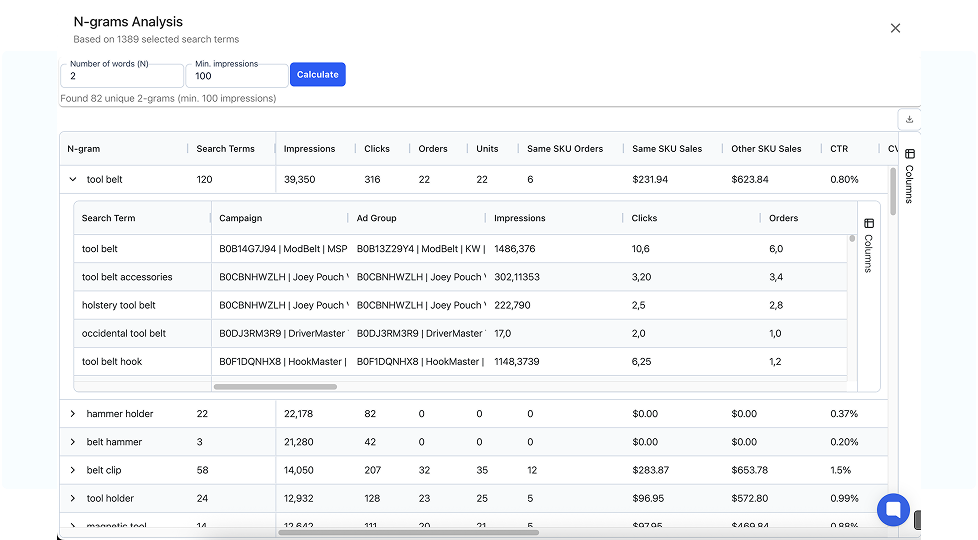
Complete reference of all SQL functions available in AMC, organized by category.
| Function | Description | Syntax |
|---|---|---|
| CHARINDEX | Searches for a substring within a string and returns starting position | CHARINDEX(substring, string [, start_position]) |
| CONCAT | Concatenates multiple strings | CONCAT(expression [, expression]*) |
| FORMAT | Formats a value according to a pattern | FORMAT(string_expression, format_string) |
| INSTR | Finds first occurrence position of substring | INSTR(string, substring) |
| LEFT | Extracts N characters from left side | LEFT(string, length) |
| LENGTH | Number of characters in string | LENGTH(string) |
| LIKE | Matches column to string with wildcards | column LIKE expression |
| LOCATE | Alias of CHARINDEX | LOCATE(substring, string[, start_position]) |
| LOWER | Converts to lowercase | LOWER(string) |
| LTRIM | Removes leading whitespace | LTRIM(string) |
| POSITION | Finds first occurrence | POSITION(substring IN string) |
| REGEXP_REPLACE | Replace text matching regex | REGEXP_REPLACE(string, pattern, replacement) |
| REGEXP_SUBSTR | Extract substring matching regex | REGEXP_SUBSTR(string, pattern) |
| REGEXP_SPLIT | Splits string by regex | REGEXP_SPLIT(string, pattern) |
| REPLACE | Substitutes all occurrences | REPLACE(string, search, replacement) |
| RIGHT | Extracts N characters from right | RIGHT(string, length) |
| RTRIM | Removes trailing whitespace | RTRIM(string) |
| SIMILAR TO | Evaluates regex match (Java regex syntax) | expression [NOT] SIMILAR TO expression |
| STRPOS | Position of substring | STRPOS(string, substring) |
| STR_TO_MAP | Converts delimited string to key-value map | STR_TO_MAP(string, pair_delimiter, key_value_delimiter) |
| SUBSTRING | Extracts portion of string | SUBSTRING(string FROM start [FOR length]) |
| TRIM | Removes space/characters from start/end | TRIM(str) | TRIM(BOTH trimStr FROM str) | TRIM(LEADING trimStr FROM str) | TRIM(TRAILING trimStr FROM str) |
| UPPER | Converts to uppercase | UPPER(string) |
| Function | Description | Syntax |
|---|---|---|
| ABS | Absolute value | ABS(numeric_expression) |
| CEIL | Rounds up to nearest integer | CEIL(number) |
| E() | Returns mathematical constant e (~2.71828) | E() |
| EXP | e raised to power | EXP(number) |
| FLOOR | Rounds down to nearest integer | FLOOR(number) |
| LN | Natural logarithm | LN(number) |
| LOG | Logarithm with specified base | LOG(base, number) |
| LOG10 | Base-10 logarithm | LOG10(number) |
| POWER | Raises number to power | POWER(number, power) |
| RANDOM | Random decimal 0-1 | RANDOM() |
| ROUND | Rounds to decimal places | ROUND(expression [, integer]) |
| SQRT | Square root | SQRT(number) |
| TRUNC | Truncates without rounding | TRUNC(number[, decimals]) |
| Function | Description | Syntax |
|---|---|---|
| AVG | Average of values | AVG(column_name) |
| COUNT | Total number of values | COUNT(column_name) | COUNT(DISTINCT column_name) |
| MIN | Minimum value | MIN(column_name) |
| MAX | Maximum value | MAX(column_name) |
| SUM | Sum of values | SUM(column_name) |
| Function | Description | Syntax |
|---|---|---|
| CONVERT_TIME_ZONE_FROM_UTC | Converts UTC to specified timezone | CONVERT_TIME_ZONE_FROM_UTC(inputTime, 'timeZone') |
| CURRENT_DATE | Returns current date in UTC | CURRENT_DATE |
| CURRENT_TIMESTAMP | Returns current date+time in UTC | CURRENT_TIMESTAMP |
| DATE_TRUNC | Truncates timestamp to granularity (SECOND, MINUTE, HOUR, DAY, WEEK, MONTH, QUARTER, YEAR) | DATE_TRUNC('granularity', inputTime) |
| DAYOFMONTH | Day of month (1-31) | DAYOFMONTH(date) |
| DAYOFWEEK | Day of week (1-7, 1=Sunday) | DAYOFWEEK(date) |
| EPOCH_TO_UTC_TIMESTAMP | Converts epoch to timestamp | EPOCH_TO_UTC_TIMESTAMP(expression) |
| EXTEND_TIME_WINDOW | Extends table time period beyond reporting window | EXTEND_TIME_WINDOW(table_name, retro_days, future_days) |
| EXTRACT | Extracts time unit from date/timestamp | EXTRACT(timeUnit FROM expression) |
| HOUR | Hour (0-23) | HOUR(timestamp) |
| MINUTE | Minute (0-59) | MINUTE(timestamp) |
| MONTH | Month (1-12) | MONTH(date) |
| SECOND | Second (0-59) | SECOND(timestamp) |
| WEEK | Week number (1-53) | WEEK(date) |
| YEAR | Year from date | YEAR(date) |
| SECONDS_BETWEEN | Time difference in seconds | SECONDS_BETWEEN(firstInputTime, secondInputTime) |
| Function | Description | Syntax |
|---|---|---|
| CASE | Conditional expression | CASE WHEN condition THEN result [ELSE default] END |
| COALESCE | Returns first non-null | COALESCE(expression [, expression]*) |
| IF | Boolean conditional | IF(booleanExpression, trueExpression, falseExpression) |
| IFNULL | Alias of COALESCE | IFNULL(expression, alternate_value) |
| IN | Multiple values in WHERE | IN(value1, value2, ..., valueN) | NOT IN(...) |
| NULLIF | Returns NULL if equal | NULLIF(expr1, expr2) |
| NVL | Alias of COALESCE | NVL(expr1, expr2) |
| NVL2 | Three-way NULL logic | NVL2(expr1, expr2, expr3) |
| Function | Description | Syntax |
|---|---|---|
| ARRAY_CAT | Concatenates two arrays | ARRAY_CAT(array1, array2) |
| ARRAY_CONTAINS | Returns true if value in array | ARRAY_CONTAINS(array, value) |
| ARRAY_COMPLEMENT | Elements in first not in second | ARRAY_COMPLEMENT(array1, array2) |
| ARRAY_DISTINCT | Removes duplicates | ARRAY_DISTINCT(array) |
| ARRAY_INTERSECT | Common elements | ARRAY_INTERSECT(array1, array2) |
| ARRAY_REMOVE | Removes occurrences of element | ARRAY_REMOVE(array, element) |
| ARRAY_SORT | Sorts array | ARRAY_SORT(COLLECT(DISTINCT column)) |
| ARRAY_TO_STRING | Converts array to string | ARRAY_TO_STRING(array, separator) |
| ARRAY_UNION | Combines unique elements | ARRAY_UNION(array1, array2) |
| CARDINALITY | Count elements in array | CARDINALITY(array) |
| COLLECT | Creates list of values | COLLECT(column) | COLLECT(DISTINCT column) |
| EXPLODE | Array to multiple rows | EXPLODE(array) |
| FLATTEN | Nested array to flat | FLATTEN(array) |
| Function | Description | Syntax |
|---|---|---|
| DENSE_RANK | Rank without gaps | DENSE_RANK() OVER (PARTITION BY col ORDER BY col) |
| PARTITION BY | Divides result set into partitions | Used with window functions |
| RANK | Rank with gaps for ties | RANK() OVER (PARTITION BY col ORDER BY col) |
| ROW_NUMBER | Sequential row number | ROW_NUMBER() OVER (PARTITION BY col ORDER BY col) |
| Function | Description | Syntax |
|---|---|---|
| STDDEV_POP | Standard deviation of population | STDDEV_POP(values) |
| VAR_POP | Variance of population | VAR_POP(values) |
| STDDEV_SAMP / STDDEV | Standard deviation of sample | STDDEV_SAMP(values) | STDDEV(values) |
| VAR_SAMP / VARIANCE | Variance of sample | VAR_SAMP(values) | VARIANCE(values) |
| SKEWNESS | Skewness of distribution | SKEWNESS(values) |
| PERCENTILE | Value at percentile (0-1) | PERCENTILE(values, percentile) |
| APPROX_PERCENTILE | Approximate percentile (rejected in our live tests; use MEDIAN) | APPROX_PERCENTILE(values, percentile) |
| MEDIAN | Middle value | MEDIAN(values) |
| Function | Description | Syntax |
|---|---|---|
| GREATEST | Largest of expressions (null-sensitive) | GREATEST(expr [, expr]*) |
| LEAST | Smallest of expressions (null-sensitive) | LEAST(expr [, expr]*) |
| HASH64 | 64-bit hash | HASH64(expression) |
| MD5 | 128-bit MD5 hash | MD5(string) |
| SHA1 | 160-bit SHA-1 hash | SHA1(string) |
| FROM_VARBINARY | Binary to string (hex/base64/utf-8) | FROM_VARBINARY(binary_expression, type) |
| TO_VARBINARY | String to binary | TO_VARBINARY(string, type) |
| JSON_EXTRACT | Extract from JSON | JSON_EXTRACT(json_string, json_path) |
| JSON_SERIALIZE | JSON to string | JSON_SERIALIZE(json_value) |
| CAST | Type conversion | CAST(expression AS dataType) |
| NAMED_ROW | Group columns under one name | NAMED_ROW('label1', col1, 'label2', col2) |
This guide covers 7 main tables with a total of 761 columns, the ones you'll use most often. AMC contains many additional tables beyond these (including paid subscriptions and marketplace-specific datasets). Here's a complete reference for each of the 7: what it contains, the key columns you'll use most often, and the full column list for when you need it.
| Table | Columns | Primary Use |
|---|---|---|
amazon_retail_purchases | 26 | Customer purchase data |
sponsored_ads_traffic | 79 | SP, SB, SD ad traffic |
dsp_impressions | 106 | DSP impression data |
dsp_clicks | 105 | DSP click data |
amazon_attributed_events_by_conversion_time | 392 | Attribution/conversion data |
conversions_all | 33 | All conversion events |
amazon_live_traffic | 20 | Amazon Live data |
| TOTAL | 761 |
Customer purchase data from Amazon retail. Contains order-level detail with ASIN, price, and quantity information. Goes back up to 5 years with the Amazon Retail Purchases subscription.
Key Columns
| Column | Type | Description |
|---|---|---|
asin | STRING | Amazon Standard Identification Number for the purchased product |
asin_name | STRING | Product title/name |
asin_brand | STRING | Brand name of the product |
purchase_date_utc | TIMESTAMP | Date/time of the purchase in UTC |
unit_price | DECIMAL | Price per unit at time of purchase |
purchase_units_sold | INTEGER | Number of units in this purchase |
user_id | STRING | Hashed user identifier (non-viewable; COUNT DISTINCT and JOINs only) |
purchase_id | STRING | Unique identifier for the purchase/order |
currency_code | STRING | Currency of the transaction (e.g., USD) |
purchase_program_name | STRING | Purchase program (e.g., Fresh, Pantry); empty for S&S |
purchase_month_utcreturns month NUMBER (1–12) without year; useDATE_TRUNC('MONTH', purchase_date_utc)insteadpurchase_program_namereturns EMPTY for Subscribe & Save; S&S data is NOT available in this tableuser_idis NON-VIEWABLE (hashed) and can only be used forCOUNT(DISTINCT user_id)and JOINs
| # | Column |
|---|---|
| 1 | asin |
| 2 | asin_brand |
| 3 | asin_name |
| 4 | asin_parent |
| 5 | currency_code |
| 6 | event_id |
| 7 | is_business_flag |
| 8 | is_gift_flag |
| 9 | marketplace_id |
| 10 | marketplace_name |
| 11 | no_3p_trackers |
| 12 | origin_session_id |
| 13 | purchase_date_utc |
| 14 | purchase_day_utc |
| 15 | purchase_dt_hour_utc |
| 16 | purchase_dt_utc |
| 17 | purchase_hour_utc |
| 18 | purchase_id |
| 19 | purchase_month_utc |
| 20 | purchase_order_method |
| 21 | purchase_program_name |
| 22 | purchase_session_id |
| 23 | purchase_units_sold |
| 24 | unit_price |
| 25 | user_id |
| 26 | user_id_type |
Traffic data from Sponsored Products, Sponsored Brands, and Sponsored Display campaigns. Contains impressions, clicks, spend, and targeting info. Full-Funnel campaigns (beta) show no spend or traffic here; their conversions appear only in the attribution tables.
Key Columns
| Column | Type | Description |
|---|---|---|
campaign | STRING | Campaign name |
campaign_id_string | STRING | Campaign ID (use this, not campaign_id) |
ad_product_type | STRING | Ad type: Sponsored Products, Sponsored Brands, or Sponsored Display |
creative_asin | STRING | ASIN in the ad creative (SP only; NULL for SB/SD) |
event_date_utc | TIMESTAMP | Date/time of the traffic event in UTC |
spend | BIGINT | Ad spend in microcents (÷ 100,000,000 for dollars) |
clicks | INTEGER | Number of clicks |
impressions | INTEGER | Number of impressions |
customer_search_term | STRING | The search query that triggered the ad |
match_type | STRING | Keyword match type (exact, phrase, broad) |
targeting | STRING | Targeting expression (keyword or product target) |
ad_group | STRING | Ad group name |
spendis in MICROCENTS: divide by 100,000,000 to get dollarsevent_day_utcis INTEGER, not a date; useevent_date_utc(TIMESTAMP) insteadcreative_asinis only populated for Sponsored Products, not SB/SD
| # | Column |
|---|---|
| 1 | ad_group |
| 2 | ad_group_end_dt |
| 3 | ad_group_end_dt_utc |
| 4 | ad_group_start_dt |
| 5 | ad_group_start_dt_utc |
| 6 | ad_group_status |
| 7 | ad_group_type |
| 8 | ad_product_type |
| 9 | ad_product_type_code |
| 10 | ad_product_type_id |
| 11 | advertiser |
| 12 | advertiser_id_internal |
| 13 | advertiser_timezone |
| 14 | campaign |
| 15 | campaign_budget_type |
| 16 | campaign_end_date |
| 17 | campaign_end_date_utc |
| 18 | campaign_end_dt |
| 19 | campaign_end_dt_utc |
| 20 | campaign_id |
| 21 | campaign_id_string |
| 22 | campaign_start_date |
| 23 | campaign_start_date_utc |
| 24 | campaign_start_dt |
| 25 | campaign_start_dt_utc |
| 26 | clicks |
| 27 | creative |
| 28 | creative_asin |
| 29 | creative_type |
| 30 | currency_iso_code |
| 31 | currency_name |
| 32 | customer_search_term |
| 33 | entity_id |
| 34 | event_date |
| 35 | event_date_utc |
| 36 | event_day |
| 37 | event_day_utc |
| 38 | event_dt |
| 39 | event_dt_hour |
| 40 | event_dt_hour_utc |
| 41 | event_dt_utc |
| 42 | event_hour |
| 43 | event_hour_utc |
| 44 | event_id |
| 45 | five_sec_views |
| 46 | impressions |
| 47 | ip_address |
| 48 | is_amazon_business |
| 49 | line_item |
| 50 | line_item_end_date |
| 51 | line_item_end_date_utc |
| 52 | line_item_id |
| 53 | line_item_price_type |
| 54 | line_item_start_date |
| 55 | line_item_start_date_utc |
| 56 | line_item_status |
| 57 | line_item_type |
| 58 | marketplace_id |
| 59 | marketplace_name |
| 60 | match_type |
| 61 | matched_behavior_segment_ids |
| 62 | no_3p_trackers |
| 63 | operating_system |
| 64 | os_version |
| 65 | placement_type |
| 66 | portfolio_id |
| 67 | portfolio_name |
| 68 | spend |
| 69 | targeting |
| 70 | unmeasurable_viewable_impressions |
| 71 | user_id |
| 72 | user_id_type |
| 73 | video_complete_views |
| 74 | video_first_quartile_views |
| 75 | video_midpoint_views |
| 76 | video_third_quartile_views |
| 77 | video_unmutes |
| 78 | view_definition |
| 79 | viewable_impressions |
Amazon DSP impression-level data. Contains impression costs, targeting, creative info, publisher data, and geographic details.
Key Columns
| Column | Type | Description |
|---|---|---|
campaign | STRING | Campaign name |
campaign_id_string | STRING | Campaign ID |
impression_date_utc | TIMESTAMP | Date/time of the impression in UTC |
total_cost | BIGINT | Total cost in millicents (÷ 100,000 for dollars) |
impressions | INTEGER | Number of impressions |
creative | STRING | Creative name |
line_item | STRING | Line item name |
device_type | STRING | Device type (desktop, mobile, tablet, etc.) |
supply_source | STRING | Where the ad was served (e.g., Amazon O&O, 3P exchange) |
publisher_name | STRING | Publisher/site name |
city_name | STRING | City of the user |
postal_code | STRING | Postal/ZIP code of the user |
total_costis in MILLICENTS: divide by 100,000 to get dollarsimpression_day_utcis INTEGER; useimpression_date_utc(TIMESTAMP) instead- Contains many fee columns (
audience_fee,platform_fee,supply_cost, etc.) that are all in millicents
| # | Column |
|---|---|
| 1 | ad_slot_size |
| 2 | advertiser |
| 3 | advertiser_account_frequency_group_ids |
| 4 | advertiser_id |
| 5 | advertiser_timezone |
| 6 | app_bundle |
| 7 | audience_fee |
| 8 | bid_price |
| 9 | browser_family |
| 10 | campaign |
| 11 | campaign_budget_amount |
| 12 | campaign_country |
| 13 | campaign_end_date |
| 14 | campaign_end_date_utc |
| 15 | campaign_flight_budget_amount |
| 16 | campaign_flight_end_date_utc |
| 17 | campaign_flight_id |
| 18 | campaign_flight_name |
| 19 | campaign_flight_start_date_utc |
| 20 | campaign_id |
| 21 | campaign_id_string |
| 22 | campaign_insertion_order_id |
| 23 | campaign_primary_goal |
| 24 | campaign_sales_type |
| 25 | campaign_source |
| 26 | campaign_start_date |
| 27 | campaign_start_date_utc |
| 28 | campaign_status |
| 29 | city_name |
| 30 | creative |
| 31 | creative_category |
| 32 | creative_duration |
| 33 | creative_id |
| 34 | creative_is_link_in |
| 35 | creative_size |
| 36 | creative_type |
| 37 | currency_iso_code |
| 38 | currency_name |
| 39 | deal_id |
| 40 | deal_name |
| 41 | demand_channel |
| 42 | demand_channel_owner |
| 43 | device_id |
| 44 | device_make |
| 45 | device_model |
| 46 | device_type |
| 47 | dma_code |
| 48 | entity_id |
| 49 | environment_type |
| 50 | impression_cost |
| 51 | impression_date |
| 52 | impression_date_utc |
| 53 | impression_day |
| 54 | impression_day_utc |
| 55 | impression_dt |
| 56 | impression_dt_hour |
| 57 | impression_dt_hour_utc |
| 58 | impression_dt_utc |
| 59 | impression_hour |
| 60 | impression_hour_utc |
| 61 | impressions |
| 62 | ip_address |
| 63 | is_amazon_owned |
| 64 | iso_country_code |
| 65 | iso_state_province_code |
| 66 | line_item |
| 67 | line_item_budget_amount |
| 68 | line_item_end_date |
| 69 | line_item_end_date_utc |
| 70 | line_item_id |
| 71 | line_item_price_type |
| 72 | line_item_start_date |
| 73 | line_item_start_date_utc |
| 74 | line_item_status |
| 75 | line_item_type |
| 76 | managed_service_fee |
| 77 | manager_account_frequency_group_ids |
| 78 | matched_behavior_segment_ids |
| 79 | merchant_id |
| 80 | no_3p_trackers |
| 81 | ocm_fee |
| 82 | operating_system |
| 83 | os_version |
| 84 | page_type |
| 85 | placement_is_view_aware |
| 86 | placement_view_rate |
| 87 | platform_fee |
| 88 | postal_code |
| 89 | product_line |
| 90 | publisher_name |
| 91 | request_tag |
| 92 | segment_marketplace_id |
| 93 | seller_id |
| 94 | seller_name |
| 95 | site |
| 96 | slot_position |
| 97 | supply_cost |
| 98 | supply_source |
| 99 | supply_source_id |
| 100 | supply_source_is_view_aware |
| 101 | supply_source_view_rate |
| 102 | third_party_fees |
| 103 | total_cost |
| 104 | user_behavior_segment_ids |
| 105 | user_id |
| 106 | user_id_type |
Amazon DSP click-level data. Nearly identical to dsp_impressions but for click events. Contains click costs, timing, and all the same targeting/creative/geographic dimensions.
Key Columns
| Column | Type | Description |
|---|---|---|
campaign | STRING | Campaign name |
campaign_id_string | STRING | Campaign ID |
click_date_utc | TIMESTAMP | Date/time of the click in UTC |
click_cost | BIGINT | Click cost in millicents (÷ 100,000 for dollars) |
clicks | INTEGER | Number of clicks |
creative | STRING | Creative name |
line_item | STRING | Line item name |
device_type | STRING | Device type |
supply_source | STRING | Where the ad was served |
publisher_name | STRING | Publisher/site name |
click_costreplacestotal_costfrom dsp_impressions, also in millicents (÷ 100,000)- No
impressionscolumn; this is clicks only - Has both
impression_date_utcANDclick_date_utc(the impression that led to the click)
| # | Column |
|---|---|
| 1 | ad_slot_size |
| 2 | advertiser |
| 3 | advertiser_account_frequency_group_ids |
| 4 | advertiser_id |
| 5 | advertiser_timezone |
| 6 | app_bundle |
| 7 | audience_fee |
| 8 | bid_price |
| 9 | browser_family |
| 10 | campaign |
| 11 | campaign_budget_amount |
| 12 | campaign_country |
| 13 | campaign_end_date |
| 14 | campaign_end_date_utc |
| 15 | campaign_flight_budget_amount |
| 16 | campaign_flight_end_date_utc |
| 17 | campaign_flight_id |
| 18 | campaign_flight_name |
| 19 | campaign_flight_start_date_utc |
| 20 | campaign_id |
| 21 | campaign_id_string |
| 22 | campaign_insertion_order_id |
| 23 | campaign_primary_goal |
| 24 | campaign_sales_type |
| 25 | campaign_source |
| 26 | campaign_start_date |
| 27 | campaign_start_date_utc |
| 28 | campaign_status |
| 29 | city_name |
| 30 | click_cost |
| 31 | click_date |
| 32 | click_date_utc |
| 33 | click_day |
| 34 | click_day_utc |
| 35 | click_dt |
| 36 | click_dt_hour |
| 37 | click_dt_hour_utc |
| 38 | click_dt_utc |
| 39 | click_hour |
| 40 | click_hour_utc |
| 41 | clicks |
| 42 | creative |
| 43 | creative_category |
| 44 | creative_duration |
| 45 | creative_id |
| 46 | creative_is_link_in |
| 47 | creative_size |
| 48 | creative_type |
| 49 | currency_iso_code |
| 50 | currency_name |
| 51 | deal_id |
| 52 | deal_name |
| 53 | demand_channel |
| 54 | demand_channel_owner |
| 55 | device_id |
| 56 | device_make |
| 57 | device_model |
| 58 | device_type |
| 59 | dma_code |
| 60 | entity_id |
| 61 | environment_type |
| 62 | impression_date |
| 63 | impression_date_utc |
| 64 | impression_day |
| 65 | impression_day_utc |
| 66 | impression_dt |
| 67 | impression_dt_hour |
| 68 | impression_dt_hour_utc |
| 69 | impression_dt_utc |
| 70 | impression_hour |
| 71 | impression_hour_utc |
| 72 | ip_address |
| 73 | is_amazon_owned |
| 74 | iso_country_code |
| 75 | iso_state_province_code |
| 76 | line_item |
| 77 | line_item_budget_amount |
| 78 | line_item_end_date |
| 79 | line_item_end_date_utc |
| 80 | line_item_id |
| 81 | line_item_price_type |
| 82 | line_item_start_date |
| 83 | line_item_start_date_utc |
| 84 | line_item_status |
| 85 | line_item_type |
| 86 | manager_account_frequency_group_ids |
| 87 | merchant_id |
| 88 | no_3p_trackers |
| 89 | operating_system |
| 90 | os_version |
| 91 | page_type |
| 92 | platform_fee |
| 93 | postal_code |
| 94 | product_line |
| 95 | publisher_name |
| 96 | request_tag |
| 97 | seller_id |
| 98 | seller_name |
| 99 | site |
| 100 | slot_position |
| 101 | supply_cost |
| 102 | supply_source |
| 103 | supply_source_id |
| 104 | user_id |
| 105 | user_id_type |
The LARGEST table: attribution/conversion data linking ad events to purchase/conversion outcomes. Contains every possible conversion metric broken down by clicks vs views, plus new-to-brand variants, brand halo metrics, and pixel events. This is where you get ROAS, NTB, and full-funnel attribution.
Key Columns
| Column | Type | Description |
|---|---|---|
campaign | STRING | Campaign name |
campaign_id_string | STRING | Campaign ID |
ad_product_type | STRING | Ad type (sponsored_products, sponsored_brands, sponsored_display; DSP rows are NULL) |
tracked_asin | STRING | The ASIN being tracked for attribution |
conversion_event_date_utc | TIMESTAMP | When the conversion happened |
purchases | INTEGER | Total attributed purchases (clicks + views) |
total_product_sales | DECIMAL | Total sales including brand halo |
product_sales | DECIMAL | Sales for the tracked ASIN only |
new_to_brand | BOOLEAN | Flag: is this a new-to-brand customer (dimension, not metric) |
new_to_brand_purchases | INTEGER | Purchases from new-to-brand customers |
units_sold | INTEGER | Total units sold (clicks + views) |
clicks | INTEGER | Clicks on the ad |
impressions | INTEGER | Ad impressions |
- Most metric columns come in triplets:
metric,metric_clicks,metric_views(e.g.,purchases,purchases_clicks,purchases_views) total_product_salesincludes brand halo;product_salesis just the tracked ASINnew_to_brandis a flag/dimension, not a metric; filter on it, don't sum it- Contains ~140
pixel_*columns for off-Amazon conversion tracking (most will be empty unless you have pixels configured)
| # | Column |
|---|---|
| 1 | ad_product_type |
| 2 | ad_slot_size |
| 3 | add_to_cart |
| 4 | add_to_cart_clicks |
| 5 | add_to_cart_views |
| 6 | advertiser |
| 7 | advertiser_conversion_definition_dim_id |
| 8 | advertiser_id |
| 9 | advertiser_id_internal |
| 10 | advertiser_timezone |
| 11 | appstore_first_opens |
| 12 | appstore_first_opens_clicks |
| 13 | appstore_first_opens_views |
| 14 | appstore_first_session_hours |
| 15 | appstore_first_session_hours_clicks |
| 16 | appstore_first_session_hours_views |
| 17 | appstore_opens |
| 18 | appstore_opens_clicks |
| 19 | appstore_opens_views |
| 20 | appstore_repeat_opens |
| 21 | appstore_repeat_opens_clicks |
| 22 | appstore_repeat_opens_views |
| 23 | appstore_repeat_session_hours |
| 24 | appstore_repeat_session_hours_clicks |
| 25 | appstore_repeat_session_hours_views |
| 26 | appstore_usage_hours |
| 27 | appstore_usage_hours_clicks |
| 28 | appstore_usage_hours_views |
| 29 | audience_fee |
| 30 | bid_price |
| 31 | brand_halo_add_to_cart |
| 32 | brand_halo_add_to_cart_clicks |
| 33 | brand_halo_add_to_cart_views |
| 34 | brand_halo_detail_page_view |
| 35 | brand_halo_detail_page_view_clicks |
| 36 | brand_halo_detail_page_view_views |
| 37 | brand_halo_product_sales |
| 38 | brand_halo_product_sales_clicks |
| 39 | brand_halo_product_sales_views |
| 40 | brand_halo_purchases |
| 41 | brand_halo_purchases_clicks |
| 42 | brand_halo_purchases_views |
| 43 | brand_halo_units_sold |
| 44 | brand_halo_units_sold_clicks |
| 45 | brand_halo_units_sold_views |
| 46 | browser_family |
| 47 | campaign |
| 48 | campaign_budget_amount |
| 49 | campaign_end_date |
| 50 | campaign_end_date_utc |
| 51 | campaign_end_dt |
| 52 | campaign_end_dt_utc |
| 53 | campaign_flight_budget_amount |
| 54 | campaign_flight_end_date_utc |
| 55 | campaign_flight_id |
| 56 | campaign_flight_name |
| 57 | campaign_flight_start_date_utc |
| 58 | campaign_id |
| 59 | campaign_id_string |
| 60 | campaign_insertion_order_id |
| 61 | campaign_primary_goal |
| 62 | campaign_start_date |
| 63 | campaign_start_date_utc |
| 64 | campaign_status |
| 65 | city_name |
| 66 | click_cost |
| 67 | click_date |
| 68 | click_date_utc |
| 69 | click_day |
| 70 | click_day_utc |
| 71 | click_dt |
| 72 | click_dt_hour |
| 73 | click_dt_hour_utc |
| 74 | click_dt_utc |
| 75 | click_hour |
| 76 | click_hour_utc |
| 77 | clicks |
| 78 | combined_sales |
| 79 | conversion_event_category |
| 80 | conversion_event_date |
| 81 | conversion_event_date_utc |
| 82 | conversion_event_dt |
| 83 | conversion_event_dt_hour |
| 84 | conversion_event_dt_hour_utc |
| 85 | conversion_event_dt_utc |
| 86 | conversion_event_hour |
| 87 | conversion_event_hour_utc |
| 88 | conversion_event_marketplace_id |
| 89 | conversion_event_marketplace_name |
| 90 | conversion_event_name |
| 91 | conversion_event_source_name |
| 92 | conversion_event_subtype |
| 93 | conversion_event_type |
| 94 | conversion_event_type_class |
| 95 | conversion_event_type_description |
| 96 | conversions |
| 97 | creative |
| 98 | creative_category |
| 99 | creative_duration |
| 100 | creative_id |
| 101 | creative_is_link_in |
| 102 | creative_size |
| 103 | creative_type |
| 104 | customer_search_term |
| 105 | deal_id |
| 106 | deal_name |
| 107 | detail_page_view |
| 108 | detail_page_view_clicks |
| 109 | detail_page_view_views |
| 110 | device_make |
| 111 | device_model |
| 112 | device_type |
| 113 | digital_app_subscription_signup_purchases |
| 114 | digital_app_subscription_signup_purchases_clicks |
| 115 | digital_app_subscription_signup_purchases_views |
| 116 | digital_free_trial_app_subscription_signup_purchases |
| 117 | digital_free_trial_app_subscription_signup_purchases_clicks |
| 118 | digital_free_trial_app_subscription_signup_purchases_views |
| 119 | digital_free_trial_subscription_signup_purchases |
| 120 | digital_free_trial_subscription_signup_purchases_clicks |
| 121 | digital_free_trial_subscription_signup_purchases_views |
| 122 | digital_paid_app_subscription_signup_purchases |
| 123 | digital_paid_app_subscription_signup_purchases_clicks |
| 124 | digital_paid_app_subscription_signup_purchases_views |
| 125 | digital_paid_subscription_signup_purchases |
| 126 | digital_paid_subscription_signup_purchases_clicks |
| 127 | digital_paid_subscription_signup_purchases_views |
| 128 | digital_subscription_signup_purchases |
| 129 | digital_subscription_signup_purchases_clicks |
| 130 | digital_subscription_signup_purchases_views |
| 131 | dma_code |
| 132 | entity_id |
| 133 | environment_type |
| 134 | impression_date |
| 135 | impression_date_utc |
| 136 | impression_day |
| 137 | impression_day_utc |
| 138 | impression_dt |
| 139 | impression_dt_hour |
| 140 | impression_dt_hour_utc |
| 141 | impression_dt_utc |
| 142 | impression_hour |
| 143 | impression_hour_utc |
| 144 | impressions |
| 145 | is_amazon_business |
| 146 | is_event_type_modeled_view |
| 147 | iso_country_code |
| 148 | iso_state_province_code |
| 149 | line_item |
| 150 | line_item_budget_amount |
| 151 | line_item_end_date |
| 152 | line_item_end_date_utc |
| 153 | line_item_id |
| 154 | line_item_price_type |
| 155 | line_item_start_date |
| 156 | line_item_start_date_utc |
| 157 | line_item_status |
| 158 | line_item_type |
| 159 | match_type |
| 160 | new_to_brand |
| 161 | new_to_brand_brand_halo_product_sales |
| 162 | new_to_brand_brand_halo_product_sales_clicks |
| 163 | new_to_brand_brand_halo_product_sales_views |
| 164 | new_to_brand_brand_halo_purchases |
| 165 | new_to_brand_brand_halo_purchases_clicks |
| 166 | new_to_brand_brand_halo_purchases_views |
| 167 | new_to_brand_brand_halo_units_sold |
| 168 | new_to_brand_brand_halo_units_sold_clicks |
| 169 | new_to_brand_brand_halo_units_sold_views |
| 170 | new_to_brand_product_sales |
| 171 | new_to_brand_product_sales_clicks |
| 172 | new_to_brand_product_sales_views |
| 173 | new_to_brand_purchases |
| 174 | new_to_brand_purchases_clicks |
| 175 | new_to_brand_purchases_views |
| 176 | new_to_brand_total_product_sales |
| 177 | new_to_brand_total_product_sales_clicks |
| 178 | new_to_brand_total_product_sales_views |
| 179 | new_to_brand_total_purchases |
| 180 | new_to_brand_total_purchases_clicks |
| 181 | new_to_brand_total_purchases_views |
| 182 | new_to_brand_total_units_sold |
| 183 | new_to_brand_total_units_sold_clicks |
| 184 | new_to_brand_total_units_sold_views |
| 185 | new_to_brand_units_sold |
| 186 | new_to_brand_units_sold_clicks |
| 187 | new_to_brand_units_sold_views |
| 188 | no_3p_trackers |
| 189 | off_amazon_conversion_value |
| 190 | off_amazon_product_sales |
| 191 | operating_system |
| 192 | os_version |
| 193 | page_type |
| 194 | pixel_accept |
| 195 | pixel_accept_clicks |
| 196 | pixel_accept_views |
| 197 | pixel_add_to_shopping_cart |
| 198 | pixel_add_to_shopping_cart_clicks |
| 199 | pixel_add_to_shopping_cart_views |
| 200 | pixel_application |
| 201 | pixel_application_clicks |
| 202 | pixel_application_views |
| 203 | pixel_banner_interaction |
| 204 | pixel_banner_interaction_clicks |
| 205 | pixel_banner_interaction_views |
| 206 | pixel_brand_store_engagement_1 |
| 207 | pixel_brand_store_engagement_1_clicks |
| 208 | pixel_brand_store_engagement_1_views |
| 209 | pixel_brand_store_engagement_2 |
| 210 | pixel_brand_store_engagement_2_clicks |
| 211 | pixel_brand_store_engagement_2_views |
| 212 | pixel_brand_store_engagement_3 |
| 213 | pixel_brand_store_engagement_3_clicks |
| 214 | pixel_brand_store_engagement_3_views |
| 215 | pixel_brand_store_engagement_4 |
| 216 | pixel_brand_store_engagement_4_clicks |
| 217 | pixel_brand_store_engagement_4_views |
| 218 | pixel_brand_store_engagement_5 |
| 219 | pixel_brand_store_engagement_5_clicks |
| 220 | pixel_brand_store_engagement_5_views |
| 221 | pixel_brand_store_engagement_6 |
| 222 | pixel_brand_store_engagement_6_clicks |
| 223 | pixel_brand_store_engagement_6_views |
| 224 | pixel_brand_store_engagement_7 |
| 225 | pixel_brand_store_engagement_7_clicks |
| 226 | pixel_brand_store_engagement_7_views |
| 227 | pixel_click_on_redirect |
| 228 | pixel_click_on_redirect_clicks |
| 229 | pixel_click_on_redirect_views |
| 230 | pixel_decline |
| 231 | pixel_decline_clicks |
| 232 | pixel_decline_views |
| 233 | pixel_drop_down_selection |
| 234 | pixel_drop_down_selection_clicks |
| 235 | pixel_drop_down_selection_views |
| 236 | pixel_email_interaction |
| 237 | pixel_email_interaction_clicks |
| 238 | pixel_email_interaction_views |
| 239 | pixel_email_load |
| 240 | pixel_email_load_clicks |
| 241 | pixel_email_load_views |
| 242 | pixel_game_interaction |
| 243 | pixel_game_interaction_clicks |
| 244 | pixel_game_interaction_views |
| 245 | pixel_game_load |
| 246 | pixel_game_load_clicks |
| 247 | pixel_game_load_views |
| 248 | pixel_homepage_visit |
| 249 | pixel_homepage_visit_clicks |
| 250 | pixel_homepage_visit_views |
| 251 | pixel_marketing_landing_page |
| 252 | pixel_marketing_landing_page_clicks |
| 253 | pixel_marketing_landing_page_views |
| 254 | pixel_mashup_add_to_cart |
| 255 | pixel_mashup_add_to_cart_clicks |
| 256 | pixel_mashup_add_to_cart_views |
| 257 | pixel_mashup_add_to_wishlist |
| 258 | pixel_mashup_add_to_wishlist_clicks |
| 259 | pixel_mashup_add_to_wishlist_views |
| 260 | pixel_mashup_backup_image |
| 261 | pixel_mashup_backup_image_clicks |
| 262 | pixel_mashup_backup_image_views |
| 263 | pixel_mashup_click_to_page |
| 264 | pixel_mashup_click_to_page_clicks |
| 265 | pixel_mashup_click_to_page_views |
| 266 | pixel_mashup_clip_coupon |
| 267 | pixel_mashup_clip_coupon_clicks |
| 268 | pixel_mashup_clip_coupon_views |
| 269 | pixel_mashup_shop_now |
| 270 | pixel_mashup_shop_now_clicks |
| 271 | pixel_mashup_shop_now_views |
| 272 | pixel_mashup_subscribe_and_save |
| 273 | pixel_mashup_subscribe_and_save_clicks |
| 274 | pixel_mashup_subscribe_and_save_views |
| 275 | pixel_message_sent |
| 276 | pixel_message_sent_clicks |
| 277 | pixel_message_sent_views |
| 278 | pixel_mobile_app_first_start |
| 279 | pixel_mobile_app_first_start_clicks |
| 280 | pixel_mobile_app_first_start_views |
| 281 | pixel_product_purchased |
| 282 | pixel_product_purchased_clicks |
| 283 | pixel_product_purchased_views |
| 284 | pixel_purchase_button |
| 285 | pixel_purchase_button_clicks |
| 286 | pixel_purchase_button_views |
| 287 | pixel_referral |
| 288 | pixel_referral_clicks |
| 289 | pixel_referral_views |
| 290 | pixel_registration_confirm_page |
| 291 | pixel_registration_confirm_page_clicks |
| 292 | pixel_registration_confirm_page_views |
| 293 | pixel_registration_form |
| 294 | pixel_registration_form_clicks |
| 295 | pixel_registration_form_views |
| 296 | pixel_sign_up_button |
| 297 | pixel_sign_up_button_clicks |
| 298 | pixel_sign_up_button_views |
| 299 | pixel_sign_up_page |
| 300 | pixel_sign_up_page_clicks |
| 301 | pixel_sign_up_page_views |
| 302 | pixel_store_locator_page |
| 303 | pixel_store_locator_page_clicks |
| 304 | pixel_store_locator_page_views |
| 305 | pixel_submit_button |
| 306 | pixel_submit_button_clicks |
| 307 | pixel_submit_button_views |
| 308 | pixel_subscription_button |
| 309 | pixel_subscription_button_clicks |
| 310 | pixel_subscription_button_views |
| 311 | pixel_subscription_page |
| 312 | pixel_subscription_page_clicks |
| 313 | pixel_subscription_page_views |
| 314 | pixel_success_page |
| 315 | pixel_success_page_clicks |
| 316 | pixel_success_page_views |
| 317 | pixel_survey_finish |
| 318 | pixel_survey_finish_clicks |
| 319 | pixel_survey_finish_views |
| 320 | pixel_survey_start |
| 321 | pixel_survey_start_clicks |
| 322 | pixel_survey_start_views |
| 323 | pixel_thank_you_page |
| 324 | pixel_thank_you_page_clicks |
| 325 | pixel_thank_you_page_views |
| 326 | pixel_video_end |
| 327 | pixel_video_end_clicks |
| 328 | pixel_video_end_views |
| 329 | pixel_video_started |
| 330 | pixel_video_started_clicks |
| 331 | pixel_video_started_views |
| 332 | pixel_widget_interaction |
| 333 | pixel_widget_interaction_clicks |
| 334 | pixel_widget_interaction_views |
| 335 | pixel_widget_load |
| 336 | pixel_widget_load_clicks |
| 337 | pixel_widget_load_views |
| 338 | placement_type |
| 339 | platform_fee |
| 340 | postal_code |
| 341 | product_line |
| 342 | product_sales |
| 343 | product_sales_clicks |
| 344 | product_sales_views |
| 345 | purchase_currency |
| 346 | purchase_price |
| 347 | purchase_quantity |
| 348 | purchase_retail_program |
| 349 | purchase_unit_price |
| 350 | purchases |
| 351 | purchases_clicks |
| 352 | purchases_views |
| 353 | request_tag |
| 354 | site |
| 355 | supply_cost |
| 356 | supply_source |
| 357 | targeting |
| 358 | total_add_to_cart |
| 359 | total_add_to_cart_clicks |
| 360 | total_add_to_cart_views |
| 361 | total_detail_page_view |
| 362 | total_detail_page_view_clicks |
| 363 | total_detail_page_view_views |
| 364 | total_product_sales |
| 365 | total_product_sales_clicks |
| 366 | total_product_sales_views |
| 367 | total_purchases |
| 368 | total_purchases_clicks |
| 369 | total_purchases_views |
| 370 | total_units_sold |
| 371 | total_units_sold_clicks |
| 372 | total_units_sold_views |
| 373 | tracked_asin |
| 374 | tracked_item |
| 375 | traffic_event_date |
| 376 | traffic_event_date_utc |
| 377 | traffic_event_dt |
| 378 | traffic_event_dt_hour |
| 379 | traffic_event_dt_hour_utc |
| 380 | traffic_event_dt_utc |
| 381 | traffic_event_hour |
| 382 | traffic_event_hour_utc |
| 383 | traffic_event_id |
| 384 | traffic_event_marketplace_id |
| 385 | traffic_event_marketplace_name |
| 386 | traffic_event_subtype |
| 387 | traffic_event_type |
| 388 | units_sold |
| 389 | units_sold_clicks |
| 390 | units_sold_views |
| 391 | user_id |
| 392 | user_id_type |
All conversion events in a unified table. Includes purchase events, Subscribe & Save subscription data, and various conversion types across the funnel.
Key Columns
| Column | Type | Description |
|---|---|---|
event_date_utc | TIMESTAMP | Date/time of the conversion event |
event_type | STRING | Type of conversion event |
event_subtype | STRING | Subtype for more granular classification |
conversion_event_name | STRING | Name of the conversion event |
total_product_sales | DECIMAL | Total product sales amount |
total_units_sold | INTEGER | Total units sold |
new_to_brand | BOOLEAN | Whether this is a new-to-brand customer |
tracked_asin | STRING | The tracked ASIN |
user_id | STRING | Hashed user identifier |
exposure_type | STRING | How the user was exposed (click vs view) |
purchase_retail_program | STRING | Retail program (includes S&S identifiers) |
sns_subscription_id | STRING | Subscribe & Save subscription ID |
- S&S data is HERE (via
purchase_retail_programandsns_subscription_id), NOT in amazon_retail_purchases event_day_utcis INTEGER; useevent_date_utc(TIMESTAMP)combined_salesmay differ fromtotal_product_sales; check which metric you need
| # | Column |
|---|---|
| 1 | combined_sales |
| 2 | conversion_event_name |
| 3 | conversion_event_source_name |
| 4 | conversion_id |
| 5 | conversions |
| 6 | event_category |
| 7 | event_date_utc |
| 8 | event_day_utc |
| 9 | event_dt_hour_utc |
| 10 | event_dt_utc |
| 11 | event_hour_utc |
| 12 | event_subtype |
| 13 | event_type |
| 14 | event_type_class |
| 15 | event_type_description |
| 16 | exposure_type |
| 17 | ip_address |
| 18 | marketplace_id |
| 19 | marketplace_name |
| 20 | new_to_brand |
| 21 | no_3p_trackers |
| 22 | off_amazon_conversion_value |
| 23 | off_amazon_product_sales |
| 24 | purchase_currency |
| 25 | purchase_retail_program |
| 26 | purchase_unit_price |
| 27 | sns_subscription_id |
| 28 | total_product_sales |
| 29 | total_units_sold |
| 30 | tracked_asin |
| 31 | tracked_item |
| 32 | user_id |
| 33 | user_id_type |
Traffic data from Amazon Live streams. Contains impression, click, and view metrics for live broadcast events.
Key Columns
| Column | Type | Description |
|---|---|---|
broadcast_name | STRING | Name of the live broadcast |
broadcast_id | STRING | Unique broadcast identifier |
event_date_utc | TIMESTAMP | Date/time of the event |
impressions | INTEGER | Number of impressions |
clicks | INTEGER | Number of clicks |
views | INTEGER | Number of video views |
creative_asin | STRING | ASIN featured in the broadcast |
user_id | STRING | Hashed user identifier |
- Smallest table, only relevant if you use Amazon Live
event_day_utcmay be INTEGER; useevent_date_utcfor date operations
| # | Column |
|---|---|
| 1 | ad_product_type |
| 2 | advertiser |
| 3 | broadcast_date_utc |
| 4 | broadcast_id |
| 5 | broadcast_name |
| 6 | clicks |
| 7 | creative_asin |
| 8 | creative_id |
| 9 | event_date_utc |
| 10 | event_day_utc |
| 11 | event_dt_hour_utc |
| 12 | event_dt_utc |
| 13 | event_hour_utc |
| 14 | event_id |
| 15 | impressions |
| 16 | site |
| 17 | slot_name |
| 18 | user_id |
| 19 | user_id_type |
| 20 | views |
Beyond the 7 core tables above, AMC includes several additional tables and variants that may be available in your instance:
| Table | Description | Access |
|---|---|---|
amazon_attributed_events_by_traffic_time | Same structure as _by_conversion_time (~392 cols), but organized by the time of the ad exposure (impression/click) rather than the conversion event. Use when you want to attribute conversions back to when the ad was shown. | Default |
amazon_attributed_events_products_1d | Product-level attribution with a 1-day lookback window | Default |
amazon_attributed_events_products_7d | Product-level attribution with a 7-day lookback window | Default |
amazon_attributed_events_products_14d | Product-level attribution with a 14-day lookback window | Default |
amazon_attributed_events_products_30d | Product-level attribution with a 30-day lookback window | Default |
dsp_views | DSP viewability and video view events | Default (DSP) |
dsp_impressions_with_conversions_1d | Pre-joined DSP impressions with 1-day conversion data for faster queries | Default (DSP) |
The _by_traffic_time vs _by_conversion_time distinction matters for reporting alignment. Use conversion time when you want to see "what converted this month" and traffic time when you want to see "what did my ads this month ultimately drive." Most weekly/monthly reports use conversion time.
Amazon offers paid subscriptions that unlock additional data within your AMC instance. These appear in the AMC UI under "Paid Features" and can be activated there or through your rep. Amazon has made its first-party paid features, including Amazon Retail Purchases, free to subscribe through December 31, 2026:
| Subscription | What It Unlocks | Eligibility |
|---|---|---|
| Amazon Insights | A collection of Amazon-published datasets. Includes access to Amazon Flexible Shopping Insights (FSI) and Amazon audience segment membership. Using FSI, generate combined advertising and shopping insights for products you advertise. Enables segment analysis across Sponsored Ads traffic events, non-ad-exposed conversion events, and advertiser uploaded signals. | Sellers, vendor brand owners |
| Amazon Retail Purchases | Provides asin-level purchase event records across Amazon retail marketplaces with an extended data retention policy. Join with advertising reporting to gain a more holistic perspective on purchase activities. Generate combined advertiser and audience segment insights for measurement, activation, and planning. Enables audience overlap analysis across advertising traffic and advertiser uploaded signals. Contains 5 years of event records. | Sellers, vendor brand owners |
| Amazon Your Garage | Enables Amazon marketplace customers (within supported markets) to add vehicles to their Amazon Your Garage account to expedite product discovery and configure service recommendations. Conduct segment analysis across Amazon Advertising and Amazon Your Garage signals for a more holistic perspective on marketing activities. | Supported markets only |
| Brand Store Insights | Web and engagement metrics for Amazon Stores. Metrics include page views, impressions, and clicks. Understand the impact of your Brand Store by joining with traffic events to understand the impact of ad traffic on store visits, and by joining with conversion events to understand the impact of brand stores on lower-funnel conversions. | At least 1 active Brand Store |
| Experian Vehicle Purchase Insights | Insight into US vehicle purchases, refreshed on a monthly cadence. Measure the impact of your Amazon Ads campaigns on vehicle purchases, understand the purchase journey, and discover new audiences to reach. 12.5 month lookback, 2 month delay. | Contact Amazon Ads rep |
| NCS CPG Insights Stream | Modeled offline transaction signals for all US households. Transaction signals (dollars and units) aggregated at the weekly household level for specified product categories. Acquired from a diverse and balanced set of brick-and-mortar stores covering over 3 million UPCs. Understand cross-channel purchasing journeys and discover audiences with different purchasing patterns online and offline. 12.5 month lookback, 19 day delay, refreshed weekly (Fridays). | Contact Amazon Ads rep |
| Foursquare Store Visit | Physical foot traffic attribution: measure whether ad-exposed users visited a brick-and-mortar store. Requires Foursquare integration. | Contact Amazon Ads rep |
Many features people expect as "tables" (like branded search data, organic traffic, or total traffic) are actually either: (a) fields within the existing attribution tables, (b) behind the paid Flexible Shopping Insights subscription, or (c) available through the AMC Schema Explorer but not yet documented publicly. Amazon does not publish a single master list of all AMC tables; the Schema Explorer in the AMC UI is the definitive source for what's available in your specific instance.
If you need tables beyond the defaults:
- Check your Schema Explorer: In the AMC UI, the Schema Explorer shows every table available in your instance with full column documentation
- Contact your Amazon Ads representative: Some tables require manual enablement (especially DSP-related tables if you're new to DSP)
- Subscribe to paid features: Flexible Shopping Insights and other paid add-ons can be activated through your Amazon Ads console or rep
- Regional availability: Some tables are marketplace-specific. Tables available in the US may not be available in EU or JP instances
When working with AI tools to write AMC queries, always provide the actual table schemas from your Schema Explorer. Tables and columns can vary between instances based on your advertiser type, enabled features, and marketplace.
Multi-Marketplace Management
Manage US, CA, UK, and EU campaigns from one dashboard. Same Automations and Optimization Groups, unified reporting across all marketplaces, so your AMC insights translate into action everywhere you sell.
Try Free →
AMC queries run against massive datasets with strict timeout limits. Understanding how the query engine processes your SQL, and structuring queries accordingly, is the difference between a 30-second result and a timeout error.
SQL doesn't execute in the order you write it. Understanding the actual execution order helps you optimize where it matters most:
4. GROUP BY → 5. HAVING → 6. SELECT
Note: AMC does not support ORDER BY (outside window functions) or LIMIT. Sort your results post-export.
WHERE execute before joins and aggregations. The earlier you reduce data volume, the faster everything downstream runs. A filter in HAVING runs after the expensive GROUP BY, so move it to WHERE if possible.
A sargable (Search ARGument ABLE) predicate allows the query engine to use indexes and skip irrelevant data. A non-sargable predicate forces the engine to read every single record.
Wrapping a column in a function prevents the engine from using efficient lookups. This reads ALL records just to check each one:
FROM sponsored_ads_traffic
WHERE ARRAY_CONTAINS(
ARRAY['1234567', '2345678'],
campaign_id_string
)
Instead, use a CTE with an INNER JOIN or IN clause. Both are sargable and let the engine skip non-matching records:
SELECT '1234567' AS campaign_id_string
UNION ALL
SELECT '2345678'
)
SELECT sat.*
FROM sponsored_ads_traffic sat
INNER JOIN target_campaigns tc
ON sat.campaign_id_string = tc.campaign_id_string
FROM sponsored_ads_traffic
WHERE campaign_id_string IN ('1234567', '2345678')
When you need to combine data from multiple tables but don't need row-by-row matching, UNION ALL is significantly cheaper than a JOIN.
- UNION ALL: You want to stack rows vertically from similar tables (e.g., combining Sponsored Ads spend + DSP spend into one list). No matching logic needed.
- JOIN: You need to match rows across tables on a shared key (e.g., linking impressions to conversions by
user_id).
UNION ALL simply appends rows. JOIN compares every row combination. If you don't need matching, don't pay for it.
The order you join tables matters. Start with the smallest table and join outward to reduce the intermediate result set at every step.
- Join smallest table first: reduces the working set early
- Use EQUI-JOINs (
=): equality joins are far more efficient than range or inequality joins - Include ON clause at proper granularity: join on the most specific key available
-- ❌ Bad: Start with the biggest table
-- FROM t1 JOIN t2 ... JOIN t3 ...
-- ✅ Good: Start with the smallest table
FROM t3
INNER JOIN t2 ON t3.key = t2.key
INNER JOIN t1 ON t2.key = t1.key
A cartesian join (cross join) happens when every row in one table matches every row in another. This can happen accidentally when your join key isn't at the right granularity.
If you join two tables on
user_id but each table has multiple rows per user (e.g., multiple campaigns), you get a cartesian product within each user, massively inflating your result set.
-- Joining on user_id produces 5 × 3 = 15 rows for User A!
SELECT *
FROM table_1 t1
JOIN table_2 t2 ON t1.user_id = t2.user_id
WITH t1_agg AS (
SELECT user_id, SUM(revenue) AS total_revenue
FROM table_1 GROUP BY user_id
)
SELECT * FROM t1_agg
JOIN table_2 t2 ON t1_agg.user_id = t2.user_id
-- Option 2: Join at the correct granularity
SELECT * FROM table_1 t1
JOIN table_2 t2
ON t1.user_id = t2.user_id
AND t1.campaign_id = t2.campaign_id
Every calculation inside AMC burns compute time. Delay aggregation functions until the final SELECT, and move derived metrics outside AMC entirely when possible.
One of the most common performance killers is carrying too much detail through your CTEs when you don't need it.
- Use
GROUP BYinstead ofDISTINCT:GROUP BYlets you aggregate in the same step, whileDISTINCTjust deduplicates without reducing columns. - Don't SELECT columns you won't use later: every extra column in a CTE increases memory usage and slows downstream operations.
- Aggregate at the CTE level, not the final query: if a CTE feeds into a JOIN, pre-aggregate it to reduce the join's row count.
Every CTE that touches a base table should have a WHERE clause. The more restrictive your filters, the less data the engine has to process.
- Filter by date range in every CTE, not just the final query
- Use the most restrictive filters possible: filter by campaign, ASIN, or ad product type if your analysis is scoped
- Add predicates at the earliest possible stage: a filter in CTE #1 reduces data for CTE #2, #3, and beyond
If your query still isn't performing well after applying these techniques, follow this escalation path:
- Optimize your query: apply the techniques above (filter early, aggregate CTEs, fix join order)
- Reduce the date range: try 1 month instead of 12, or 2 weeks instead of 1 month
- Submit a support ticket: if the query is optimized and still timing out, contact AMC support with your query and error details
Reusable query patterns that serve as starting points for common AMC analyses. Copy, modify, and combine these templates for your specific needs. For fully tested, production-ready queries with sample output, see the AMC Query Library.
The most common starting point: aggregate purchases by month and ASIN to see revenue trends and customer counts.
DATE_TRUNC('MONTH', purchase_date_utc) AS purchase_month,
asin,
COUNT(DISTINCT user_id) AS unique_customers,
SUM(unit_price * purchase_units_sold) AS revenue,
SUM(purchase_units_sold) AS units
FROM amazon_retail_purchases
GROUP BY 1, 2
Track how customer cohorts (grouped by their first purchase month) generate revenue over time. Essential for LTV analysis.
SELECT
user_id,
MIN(DATE_TRUNC('MONTH', purchase_date_utc)) AS cohort_month
FROM amazon_retail_purchases
GROUP BY user_id
)
SELECT
fp.cohort_month,
DATE_TRUNC('MONTH', rp.purchase_date_utc) AS revenue_month,
COUNT(DISTINCT rp.user_id) AS active_customers,
SUM(rp.unit_price * rp.purchase_units_sold) AS revenue
FROM amazon_retail_purchases rp
INNER JOIN first_purchase fp ON rp.user_id = fp.user_id
GROUP BY 1, 2
Classify new customers by whether they interacted with any ads before their first purchase. Useful for understanding paid vs organic acquisition.
SELECT user_id,
MIN(DATE_TRUNC('MONTH', purchase_date_utc)) AS cohort_month
FROM amazon_retail_purchases
GROUP BY user_id
),
ad_touched AS (
SELECT user_id, 1 AS is_paid
FROM sponsored_ads_traffic WHERE clicks > 0
GROUP BY user_id
UNION
SELECT user_id, 1 AS is_paid
FROM dsp_clicks WHERE clicks > 0
GROUP BY user_id
)
SELECT
fp.cohort_month,
CASE WHEN adtch.user_id IS NOT NULL
THEN 'paid_touched'
ELSE 'organic_only'
END AS acquisition_type,
COUNT(DISTINCT fp.user_id) AS new_customers
FROM first_purchase fp
LEFT JOIN ad_touched adtch ON fp.user_id = adtch.user_id
GROUP BY 1, 2
Discover which products customers buy second after their first purchase. Reveals natural cross-sell opportunities for bundling or sequential targeting.
SELECT user_id, asin, purchase_day_utc,
ROW_NUMBER() OVER (
PARTITION BY user_id
ORDER BY purchase_day_utc, asin
) AS rn
FROM amazon_retail_purchases
)
SELECT
r1.asin AS first_asin,
r2.asin AS second_asin,
COUNT(DISTINCT r1.user_id) AS customer_count
FROM ranked r1
INNER JOIN ranked r2
ON r1.user_id = r2.user_id AND r2.rn = 2
WHERE r1.rn = 1
GROUP BY 1, 2
HAVING COUNT(DISTINCT r1.user_id) >= 10
Convert raw spend values to dollars. Remember: Sponsored Ads stores spend in microcents (÷ 100,000,000) and DSP stores cost in millicents (÷ 100,000).
DATE_TRUNC('MONTH', event_date_utc) AS spend_month,
SUM(spend) / 100000000.0 AS ad_spend_dollars
FROM sponsored_ads_traffic
GROUP BY 1
DATE_TRUNC('MONTH', impression_date_utc) AS spend_month,
SUM(total_cost) / 100000.0 AS dsp_spend_dollars
FROM dsp_impressions
GROUP BY 1
Pull new-to-brand metrics from the attributed events table. This is the go-to template for NTB reporting by campaign and ASIN.
DATE_TRUNC('MONTH',
CAST(conversion_event_date_utc AS TIMESTAMP)
) AS conversion_month,
ad_product_type,
campaign,
tracked_asin,
new_to_brand,
COUNT(DISTINCT user_id) AS customers,
SUM(purchases) AS purchases,
SUM(total_product_sales) AS attributed_revenue,
SUM(new_to_brand_purchases) AS ntb_purchases,
SUM(new_to_brand_total_product_sales) AS ntb_revenue
FROM amazon_attributed_events_by_conversion_time
WHERE purchases > 0
GROUP BY 1, 2, 3, 4, 5
A dedicated collection of every error, trap, and "gotcha" we've encountered working with AMC. Bookmark this section; it'll save you hours of debugging.
purchase_month_utc returns the month number (1–12) without the year. If you GROUP BY purchase_month_utc, January 2025 and January 2026 both become "1" and merge together silently.✅ FIX: Use
DATE_TRUNC('MONTH', purchase_date_utc) instead. This returns a full timestamp like 2026-01-01 that preserves the year.
event_day_utc or impression_day_utc in date operations like DATE_TRUNC. They're INTEGER fields (e.g., 20260115), not timestamps. Date functions will throw errors or return wrong results.✅ FIX: Use the timestamp versions:
event_date_utc / impression_date_utc.
month or at as column aliases. They're SQL reserved words. Your query will fail with a cryptic syntax error.✅ FIX: Use descriptive aliases like
spend_month, purchase_month, or ad_touched. If you must use a reserved word, wrap it in double quotes: "month".
amazon_retail_purchases.purchase_program_name returns EMPTY for Subscribe & Save orders. If you're filtering or grouping by this field, S&S revenue silently disappears from your results.✅ FIX: S&S data lives in the
conversions_all table. Use the purchase_retail_program and sns_subscription_id fields to identify and segment Subscribe & Save orders.
- Reduce date range: go from 12 months → 1 month → 2 weeks to isolate the issue
- Optimize CTEs: aggregate as early as possible to reduce row counts
- Remove unnecessary columns: don't SELECT columns in CTEs that you won't use later
- Use INNER JOIN instead of LEFT JOIN: where your logic allows, INNER JOINs are faster because they eliminate non-matching rows
GROUP BY has too few unique users, AMC silently drops that row (or blanks some of its values) instead of returning an error.✅ FIX: Broaden your grouping dimensions (e.g., remove ASIN-level granularity) or increase the date range so each group contains more records. You can also try removing high-cardinality dimensions (like search term) from
GROUP BY.
- Wrong date range in the AMC UI: the UI date range limits the data first, so SQL date filters outside it return nothing
- Filtering on a value that doesn't exist: double-check campaign IDs, ASINs, or string values
- Using
WHERE purchases > 0: if no conversions occurred in the date range, every row gets filtered out - INNER JOIN with no matching records: if one side of the join is empty, the entire result is empty
- Case sensitivity in string comparisons: AMC string comparisons are case-sensitive;
'SP'≠'sp'