"There are 'best practices,' and then there are 'practices that get the best results.' We only share the latter."
The Golden Rule: "It Depends"
In Amazon PPC, context matters. Everything is nuanced. Before applying any tactic, ask: "why does this make sense for THIS account?"
Understand the underlying logic/reasoning behind every tactic. Ask "why does this make sense here?" before applying any strategy. Maintain curiosity over certainty. When something seems counter-intuitive, investigate. Don't blindly accept or reject.
First Principles Thinking
Break down problems into fundamental truths, then rebuild solutions from the ground up. Don't follow rigid SOPs blindly. Don't apply "rules" without context. Don't assume what worked for Account A works for Account B.
The ACOS Formula (Foundation of Everything)
Where CPC = Cost Per Click (controlled by bids; see our deep dive on bid optimization), CVR = Conversion Rate (influenced by targeting, listings, placements), AOV = Average Order Value (product price), and RPC = Revenue Per Click = CVR × AOV.
Rising ACOS is caused by CPC increasing, CVR decreasing, AOV decreasing, or some combination. Identify which lever moved, then optimize that lever.
30-60 minutes for experienced users | 2-3 hours for comprehensive first audit. Frequency: Full audit quarterly; key steps weekly.
Step 1: Total Sales Performance
Goal: Understand product-level performance and budget distribution across catalog.
A. Product-Level Analysis
Combine data from Business Reports (total sales) and Advertised Product Report (ad sales/spend). Look for:
- ASINs with high total ACOS → Scale back spend
- ASINs under-advertised but generating sales → Increase ad support
- ASINs with no ads but meaningful sales → New advertising opportunities
- ASINs draining budget with poor ROAS → Reduce or pause
B. Catalog Budget Distribution
Ideal State: Ad spend share aligns with each product's sales contribution.
| ASIN | Total Sales % | Ad Spend % | Status |
|---|---|---|---|
| A123 | 50% | 20% | ⚠️ Underspending |
| B456 | 20% | 60% | 🚫 Overspending |
| C789 | 30% | 20% | ✅ Balanced |
Step 2: Campaign Placements
Goal: Identify placement inefficiencies and rebalance spend. Since August 10, 2026, Sponsored Products also serve off Amazon, including creator content, where top of search and product page adjustments don't apply, so check the placement report for that spend too.
The Three Placements
- Top of Search (ToS) – Typically highest CVR, best ROAS
- Rest of Search (RoS) – Medium CVR
- Product Pages (PP) – Often lowest CVR, highest ACOS
🚩 Product Pages consuming too much spend with low CVR or high ACOS
🚩 ACOS varies wildly across placements
🚩 Top of Search getting insufficient spend despite best performance
✓ Reduce Product Pages modifier by 25-50% if ACOS is 2x+ target
✓ Increase Top of Search modifier if CVR is strong
Step 3: Bid Management
Goal: Categorize keywords and apply appropriate bid optimization formulas. Every keyword falls into ONE of four categories:
| Category | Definition | Formula |
|---|---|---|
| High ACOS | ACOS > Target ACOS | New Bid = RPC × Target ACOS |
| High Spend, No Sales | Spend > Target CPA, Orders = 0 | New Bid = (AOV ÷ Clicks) × Target ACOS |
| Low ACOS | ACOS < (Target - 20% buffer) | New Bid = Current Bid × 1.05 to 1.10 |
| Low Visibility | Clicks < aCTC | New Bid = Current Bid × 1.05 |
Step 4: Search Term Reports
Goal: Mine search terms for 4 key insights: tactic allocations, branded spend leaks, irrelevant search terms, and harvesting opportunities. Use n-gram analysis to uncover hidden patterns in your search term data.
Steps 5-10: Tactic Allocations, Structure, Targeting & More
Step 5: Tactic Allocations
Goal: Ensure spend is distributed for optimal growth.
| Tactic | % of Spend | Purpose |
|---|---|---|
| Non-Brand Keywords | 70-80% | New customer acquisition |
| Competitor Targeting | 10-20% | Market share theft |
| Brand Defense | 5-10% | Protect brand presence |
Step 6: Campaign Structure
Goal: Assess organization, control mechanisms, and scalability
Key Audit Points
- naming conventions – Consistent format? Easily identifiable goals?
- Segmentation by Goal – Research vs. Scaling vs. Brand defense campaigns
- Structure by Catalog Size – Match structure to SKU count
Step 7: Targeting Mix
Goal: Balance discovery with control
Ideal Match-Type Distribution (Mature Accounts)
- 50%+ spend on Exact Match (scaling engines)
- 30-40% on Broad/Phrase (discovery)
- 10-20% on Auto (continuous research)
Step 8: Budget Management
Goal: Ensure high-performers aren't constrained
🚩 Campaign at 25% ACOS (target: 30%) capping out at noon
🚩 Top performer losing evening traffic due to budget
✓ Open up budgets on high-performing campaigns – Immediate sales growth with minimal risk
Step 9: Ad Type Utilization
Goal: Maximize coverage across Amazon's ad formats
| Ad Type | % of Budget | Purpose |
|---|---|---|
| Sponsored Products | 85-95% | Core revenue driver |
| Sponsored Brands | 5-15% | Brand awareness + ToS dominance |
| Sponsored Display | 0-10% | Retargeting + product targeting |
Step 10: Dayparting Opportunities
Goal: Identify high-performance hours and optimize bids accordingly
Optimize by RPC, NOT sales volume. High sales volume ≠ high profitability. Revenue Per Click reveals true efficiency.
Automate Your Dayparting Strategy
AdLabs Dayparting (Pro) includes an Analyzer that reads your hourly data and suggests a schedule by RPC. Bids then update at the top of every hour, and thin blocks keep your base bid.
Try AdLabs Free →
The Diagnostic Framework
When ACOS rises or sales decline, follow this structured approach:
Step 1: Check Attribution Delays First
Is the issue only in the last 1-2 days? If yes, it's likely attribution noise. Monitor but don't panic. If no, proceed with investigation.
Amazon conversion data can lag 2-14 days. Always use 7+ day windows for reliable analysis.
Step 2: Identify the Primary Issue
- Did spend increase more than sales? → ACOS being "pulled up"
- Did sales drop while spend stayed flat? → CVR problem
- Did CPC spike? → Bid or competition problem
Step 3: Find the Biggest Movers
Sort by DELTA (change vs prior period): Spend DELTA, ACOS DELTA, Sales DELTA.
Don't sort by ACOS blindly. A campaign with 1,000% ACOS but $100 spend is inconsequential in a $50k account.
ACOS Troubleshooting: The Three Levers
If CPC Increased: Check bids raised recently, dynamic bidding set to "up and down," placement modifiers inflated, or increased competition. Fix: Reduce bids using the RPC formula.
If CVR Decreased: Check product changes (pricing, images, reviews, Buy Box loss), macro/seasonality factors, targeting (irrelevant search terms), and placements (shift away from Top of Search). A decline in organic ranking can compound the problem.
The Negative Spiral (And How to Break It)
Lower CVR → Worse placement → Lower CVR → Worse placement → Death spiral
The Solution: Run deals/promotions → Boost short-term to regain Top of Search placement → Higher placement = higher CVR → Amazon recognizes product as better converter → Better organic placement going forward.
RPC Bidding is the foundation of the AdLabs methodology. This is "white box" bidding: transparent, mathematically-based, human-controlled. For a complete breakdown, see the Amazon PPC Bid Optimization Guide.
The Core Formula & 4 Keyword Categories
The Core Formula
Where RPC = Revenue Per Click = Sales ÷ Clicks, Target ACOS = Your profitability goal (as decimal), and Target CPC = What you should bid.
The 4 Keyword Categories
Detailed Examples for Each Category
1️⃣ High ACOS Example
Target ACOS: 30% · Keyword RPC: $5.00 (Sales $50 ÷ Clicks 10) · New Bid = $5.00 × 0.30 = $1.50
This formula usually reduces bids, but not always. If current bid is $0.02 but calculated bid is $1.50, bid will INCREASE. The current bid is just a status, not a data point.
2️⃣ High Spend, Non-Converting (Anticipated RPC)
AOV: $20 · Keyword Clicks: 10 (no conversions) · Target ACOS: 30% · Anticipated RPC = $20 ÷ 10 = $2.00 · New Bid = $2.00 × 0.30 = $0.60
3️⃣ Low ACOS: The 20% Buffer Rule
Target ACOS: 30% · Low ACOS threshold: 30% - (30% × 0.20) = 24% · Only increase bids if keyword ACOS ≤ 24%.
4️⃣ Low Visibility: aCTC Calculation
Conversion Rate: 10% · aCTC = 1 ÷ 0.10 = 10 clicks · Keywords with fewer than 10 clicks = Low Visibility.
If keyword has BOTH Low ACOS and Low Visibility, Low ACOS takes priority.
Anticipated RPC (For New Keywords)
When launching new keywords with no historical data:
Example: Product price $10 · CVR 10% · Target ACOS 30% → Anticipated RPC = $10 × 0.10 = $1.00 → Starting Bid = $1.00 × 0.30 = $0.30
Amazon's suggested bid is based on auction market price, not YOUR profitability.
Automated RPC Bid Calculations
AdLabs calculates RPC for every keyword automatically, so every bid is rooted in real performance data. No spreadsheets, no guesswork.
Try Free →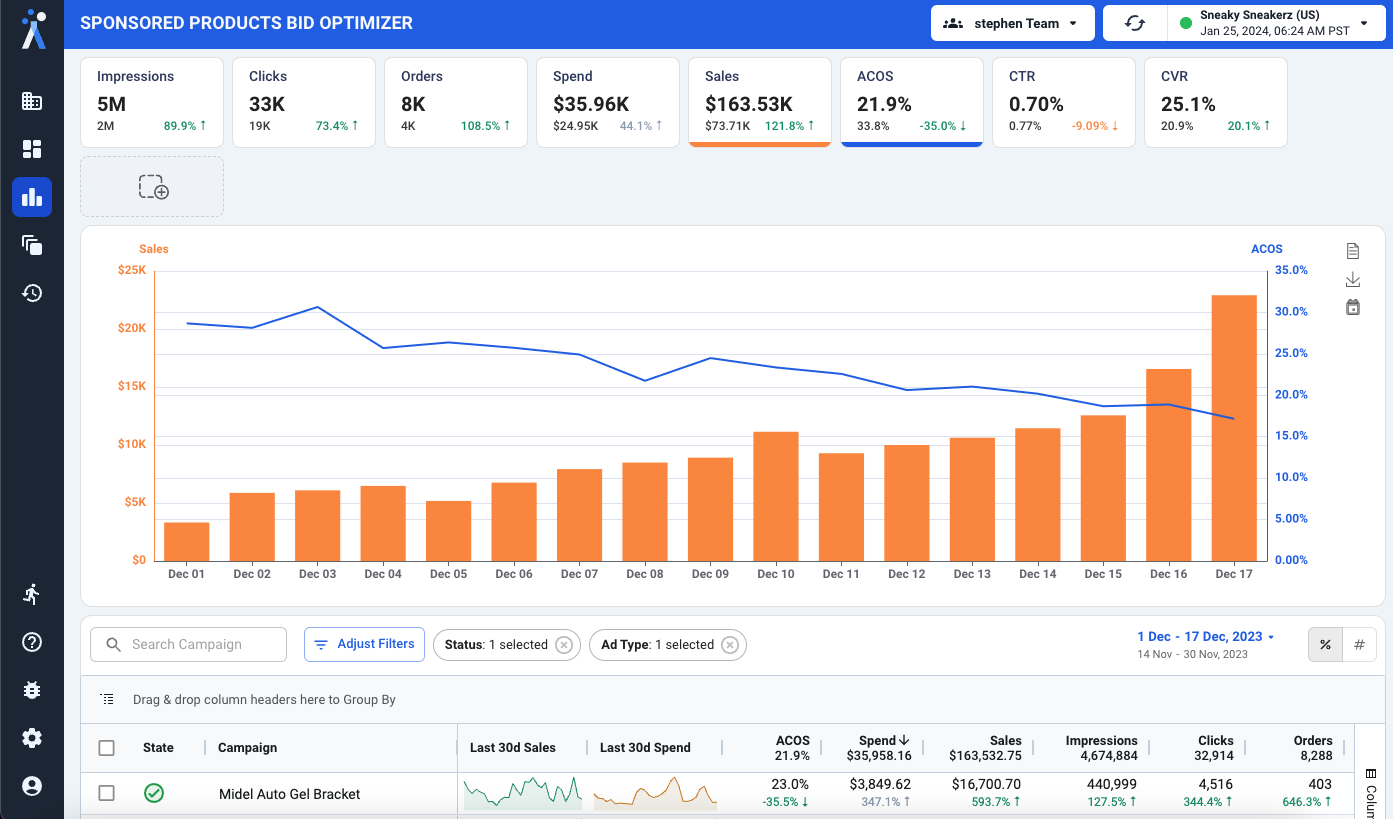
The Common Mistake
✕ Look at placement ACOS
✕ Increase adjustments on LOW ACOS placements
✕ Decrease adjustments on HIGH ACOS placements
✕ Use target ACOS in placement calculations
Placements don't have independent CPCs. Placement adjustments are modifiers on keyword bids, not standalone bids. ACOS is a result of bid strategy, not an input.
The Correct Approach
✓ Optimize by CONVERSION RATE, not ACOS
✓ Set lowest-converting placement to 0%
✓ Calculate relative CR lift for adjustments
✓ Control ACOS through keyword bids instead
The Correct Calculation
Example Calculation
| Placement | Conversion Rate | Calculation | Adjustment |
|---|---|---|---|
| Product Pages | 5% | Baseline (lowest) | 0% |
| Rest of Search | 7% | (7-5)/5 = 40% lift | +40% |
| Top of Search | 9.45% | (9.45-5)/5 = 89% lift | +89% |
Critical Rules for Placement Optimization
Target ACOS = 15% → Adjustments: 0%, 40%, 89%. Target ACOS = 30% → Adjustments: 0%, 40%, 89%. They're the same!
Placements = WHERE to allocate budget. Keyword bids = HOW MUCH to spend.
If CR justifies it, increase the modifier. Top of Search at +89% may have highest ACOS but also highest efficiency per conversion.
Keyword Harvesting Criteria
Don't harvest everything that converts! One sale doesn't mean you should promote to manual targeting.
The 6 Criteria
| # | Criterion | Rule | Why It Matters |
|---|---|---|---|
| 1 | Orders > 1 | At least 2 sales; weeds out one-off flukes | Most important criterion |
| 2 | CVR ≥ Benchmark | Product's overall CVR or tactic CVR | Only harvest strong performers |
| 3 | Clicks ≥ aCTC | Average Clicks to Conversion = 1 ÷ CVR | Ensures sufficient traffic signal |
| 4 | ACOS (Optional) | Can optimize after harvesting | Don't use as hard filter |
| 5 | Query Text Matches Campaign Type | Keeps segmentation clean | Ensures structural integrity |
| 6 | Same SKU Orders | Orders came from the same product, not cross-ASIN | Validates true keyword-product fit |
Once you've harvested keywords, place them into the right campaign structure to maintain clean segmentation and data clarity.
Negative Keyword Strategy
Add negatives when: Zero sales with significant spend, high ACOS (>100%), irrelevant to product category, product variation you don't sell, wrong product type entirely.
Irrelevant non-converters → Negate immediately.
Relevant non-converters → Harvest to exact match for more control and negate from research campaigns to control bids on product-keyword relationships and manage spend allocation. Don't negate relevant terms too fast: seasonal patterns may be at play.
For a more systematic approach to finding wasteful search terms at scale, n-gram analysis can surface hidden patterns that individual search term review misses.
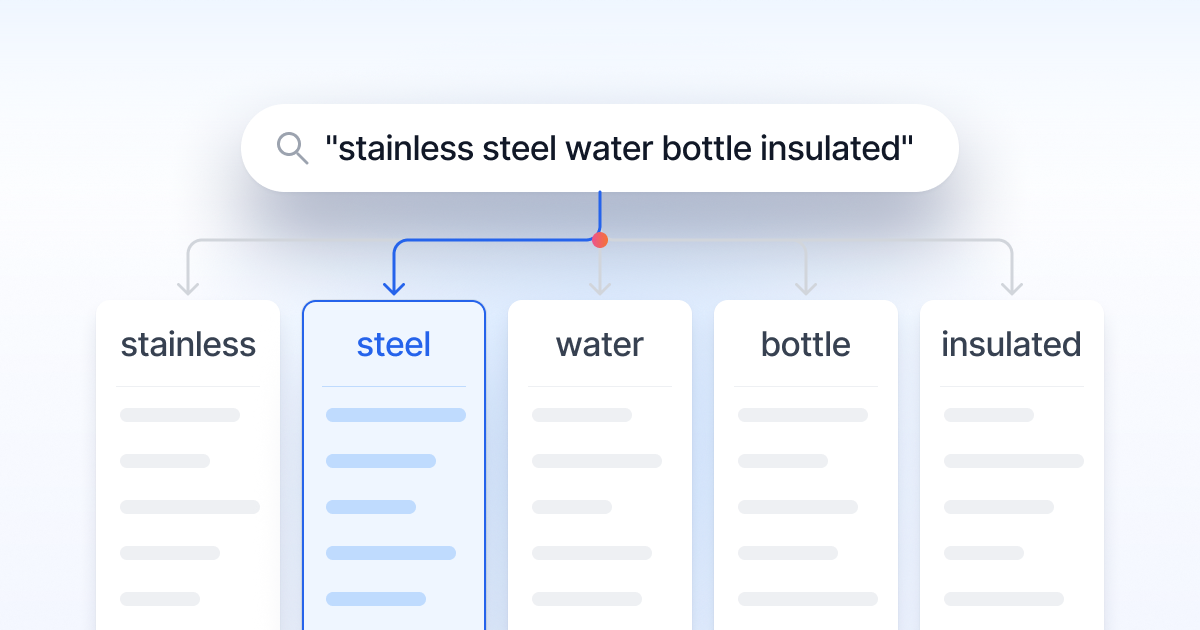
What Are N-Grams?
An n-gram is a sequence of N words from a phrase:
- Monogram (1-gram): Single words
- Bigram (2-gram): Two-word sequences
- Trigram (3-gram): Three-word sequences
For a complete walkthrough with step-by-step examples, see the Amazon N-Gram Analysis Guide.
Why N-Grams Matter
Individual search terms look harmless ($0.50-$1.00 each). But if a word like "prescription" appears in 200 search terms at 400% ACOS, that's $150+ wasted. Individual analysis reveals nothing. N-gram analysis reveals the pattern.
N-Gram Workflow
Analysis Frequency
| Timing | When |
|---|---|
| Account onboarding | MUST DO: biggest cleanup opportunity |
| First few months | Monthly |
| Mature accounts | Quarterly |
| After major changes | Ad hoc |
One-Click N-Gram Analysis
N-gram analysis finds wasted spend hiding across 50+ campaigns. One bad word, exposed in seconds. Built right into AdLabs, no exports needed.
Try Free →
The Granularity Spectrum
From aggregated to segmented: the right level depends on your catalog size and management capacity. For a complete framework, read the Amazon Campaign Structure Guide.
- MPAGs (Multiple Product Ad Groups): Easiest to manage
- SPAGs (Single Product Ad Groups): Balanced (best for large catalogs 500+ SKUs)
- SPCs (Single Product Campaigns): Maximum control ⭐ Recommended
- SKWs (Single Keyword Campaigns): Most granular
Single Product Campaigns (SPCs) are the gold standard for most accounts. Dedicated budgets per product, complete bid isolation, and full visibility into exactly what's driving performance for each ASIN. You control spend allocation at the product level, with no shared budgets cannibalizing your winners.
For large catalogs (500–1,000+ SKUs or high variation counts), graduate to SPAGs (Single Product Ad Groups) for a balance of granular control with more manageable organization. SPAGs give you product-level keyword control and clear product-keyword relationships while keeping campaign counts practical at scale.
The Launch Campaign Stack
Every product should launch with a standard campaign stack that covers all traffic sources and match types:
| Campaign | Type | Purpose |
|---|---|---|
| Auto | SP Auto | Keyword and product targeting discovery (all 4 targeting types in one campaign) |
| Research: Broad/Phrase | SP Manual | Keyword research and expansion using broad and phrase match |
| Performance: Exact | SP Manual | Proven converting keywords at exact match for maximum control |
| Product Targeting: Expanded | SP Manual | Category-level and broad product targeting for discovery |
| Product Targeting: Individual ASIN | SP Manual | Specific competitor and complementary ASIN targeting for precision |
This stack ensures complete coverage: autos discover, research campaigns test, and performance campaigns scale your winners. Keywords flow up from auto → research → performance as they prove themselves through the harvesting criteria above.
Some advertisers segment auto campaigns by targeting type (close match, loose match, substitutes, complements) or split broad and phrase into separate campaigns. We don't think it makes a meaningful difference in performance; it just creates more campaigns to manage. Keep it simple unless you have a specific reason to split.
Another common approach is creating separate campaigns per placement (Top of Search, Rest of Search, Product Pages). This is unnecessary. Amazon's placement multipliers let you adjust bids by placement within a single campaign, giving you the same control without the campaign bloat.
Match Types: Ideal Distribution
| Match Type | Behavior | Best For |
|---|---|---|
| Exact | Your keyword + close variants: misspellings, plurals, other languages, abbreviations, acronyms, and reordered words. Exact does NOT mean literal exact match. | Scaling proven performers |
| Phrase | Your phrase appears intact in order, with words allowed before or after. Also includes close variants (misspellings, plurals). Cannot be split or reordered. | Controlled discovery |
| Broad | Synonyms, misspellings, related terms, reordered words, and loosely related queries. Amazon interprets intent broadly and can match terms you didn't anticipate. | Wide research net |
| Modified Broad | Add a + before words that MUST appear in the search term (e.g., +protein +powder organic). Locks in critical words while allowing broad matching on the rest. Gives more control than broad without being as restrictive as phrase. | Targeted research with guardrails |
| Auto | Amazon decides targeting across 4 types: Close Match (related keywords), Loose Match (broadly related), Substitutes (competitor products), Complements (frequently bought together). | Initial discovery |
Amazon's exact match includes: misspellings ("protien" → "protein"), plurals/singulars, other languages (Spanish search terms matching English keywords), abbreviations, acronyms, and reordered words ("whey protein" = "protein whey"). This is fundamentally different from Google Ads exact match. Always check your search term reports: you may be matching queries you didn't expect even on exact.
Core Principle & Implementation
Don't chase traffic volume. Chase HIGH-CONVERTING traffic volume.
- Daytime (9am-5pm): 20-30% HIGHER conversion rates
- Time-constrained shoppers
- Purposeful buying
- Mobile-heavy, quick decisions
- Evening (6pm-12am): More traffic, lower conversion rates
- Leisure browsing
- Comparison shopping
- Desktop multi-tabbing
For a detailed hour-by-hour implementation strategy, see the Amazon Dayparting Guide.
Wrong vs. Correct Day-Parting
- Chasing total sales volume: high volume with low CVR = wasted spend.
- Pausing/unpausing campaigns: zero chance of sales.
- Adjusting budgets hourly: budgets are daily settings.
- Calculate RPC by hour (last 30 days).
- Identify peak RPC hours (not peak sales hours).
- Increase bids 20-40% during high-CR hours.
- Decrease bids 20-40% during low-CR hours.
- Give 2-4 weeks to stabilize. Expected: Sales increase 10-25% with ACOS same or better.
Key Principles & Red Flags
Key Principles:
- Open up budgets on high-performing campaigns: if ACOS is below target and budget caps out, increase immediately for instant growth.
- Review daily during high-traffic periods: Prime Day, Black Friday, holidays. Top performers shouldn't run out of budget.
- Set budgets 20-30% above expected daily spend: headroom for growth, prevents mid-day exhaustion.
- Use unlimited budgets for proven winners: if cash flow allows, maximum capture of profitable traffic.
Pairing smart budget management with dayparting ensures your budget goes furthest during the hours that convert best.
🚩 Campaign at 25% ACOS (target: 30%) capping out at noon
🚩 Top performer losing evening traffic due to budget constraint
Most people optimize way too frequently. AdLabs does ZERO regular daily optimizations. Over-optimization = analysis paralysis + wasted effort.
Recommended Cadence
Date Range Selection
| Situation | Date Range | Reason |
|---|---|---|
| First optimization | 30 days | More confidence |
| Follow-up optimizations | 7-14 days | More relevance |
| Post-holiday/event | Exclude event data | Avoid distortion |
| Placement optimization | 30-60 days | Need stable CR data |
| Day-parting | 30+ days | Stable patterns |
Don't include Prime Day, holiday, or promotional data in normal optimization windows.
New Campaign Exception
For new/immature campaigns (< 6 months), move everything one level more granular:
| Mature Campaign | New Campaign |
|---|---|
| Monthly tasks → | Weekly |
| Weekly tasks → | Daily (but not hourly!) |
Bid Optimization Mistakes
✕ Daily bid optimizations (not enough data change)
✕ Bulk bid changes without analysis
✕ Using Amazon's suggested bid (doesn't know YOUR margins)
✕ Negating relevant keywords instead of reducing bids
✕ Jumping to conclusions on 1-2 day data (attribution lag)
Placement Mistakes
✕ Optimizing placements based on ACOS (should use CVR)
✕ Using target ACOS in placement calculations
✕ Weekly placement adjustments (need 30-60 days)
✕ Jumping to +200% modifiers overnight (work up gradually)
Search Term Mistakes
✕ Harvesting every converting term (one sale doesn't mean good keyword)
✕ Instant negation of relevant non-converters
✕ Ignoring n-grams analysis (missing cumulative waste)
✕ Not filtering query text by campaign type
Day-Parting Mistakes
✕ Chasing sales volume instead of conversion rate
✕ Pausing campaigns instead of adjusting bids
✕ Adjusting budgets instead of bids
✕ Weekly day-parting adjustments (patterns are extremely stable)
Structural Mistakes
✕ Over-segmentation (too many campaigns with no data)
✕ Over-aggregation (can't see product-keyword relationships)
✕ Inconsistent naming conventions
✕ Not separating brand/non-brand/competitor campaigns
Core Calculations
| Metric | Formula |
|---|---|
| ACOS | Spend ÷ Sales |
| RPC | Sales ÷ Clicks |
| CVR | Orders ÷ Clicks |
| CPA | Spend ÷ Orders |
| Target CPA | Target ACOS × AOV |
| aCTC | 1 ÷ CVR (or Total Clicks ÷ Orders) |
| Break-Even ACOS | (Price - COGS - Fees) ÷ Price |
Bid Formulas
| Situation | Formula |
|---|---|
| High ACOS | New Bid = Keyword RPC × Target ACOS |
| High Spend, No Sales | New Bid = (AOV ÷ Clicks) × Target ACOS |
| Low ACOS | New Bid = Current Bid × 1.05 to 1.10 |
| Low Visibility | New Bid = Current Bid × 1.05 |
| New Keyword | Starting Bid = (AOV × CVR) × Target ACOS |
Placement Formula & Harvesting Thresholds
Placement Formula
Harvesting Thresholds
| Criterion | Threshold |
|---|---|
| Orders | > 1 |
| CVR | ≥ Product benchmark |
| Clicks | ≥ aCTC |
| Same SKU Orders | Orders from same product, not cross-ASIN |
"We're not just trying to tell you the definitions. We're trying to show you how to think critically so that you can do this on your own."